
An Arch-based workstation operating-system family — Desktop · Studio · Gaming — with a visual language of its own: Hornero Signal.
HorneroOS grows from more than eight years of Linux work: the real setup of Ulises Jeremias, continuously used, tested and refined on personal systems before the current AI OS wave. HorneroOS turns that experience into a reproducible product. Ulises is the project's principal maintainer. Panda Foss contributes to HorneroOS and is one of the maintainers of Anarchy Linux; both are part of the HorneroOS organization. Read more about the project's roots and design history.
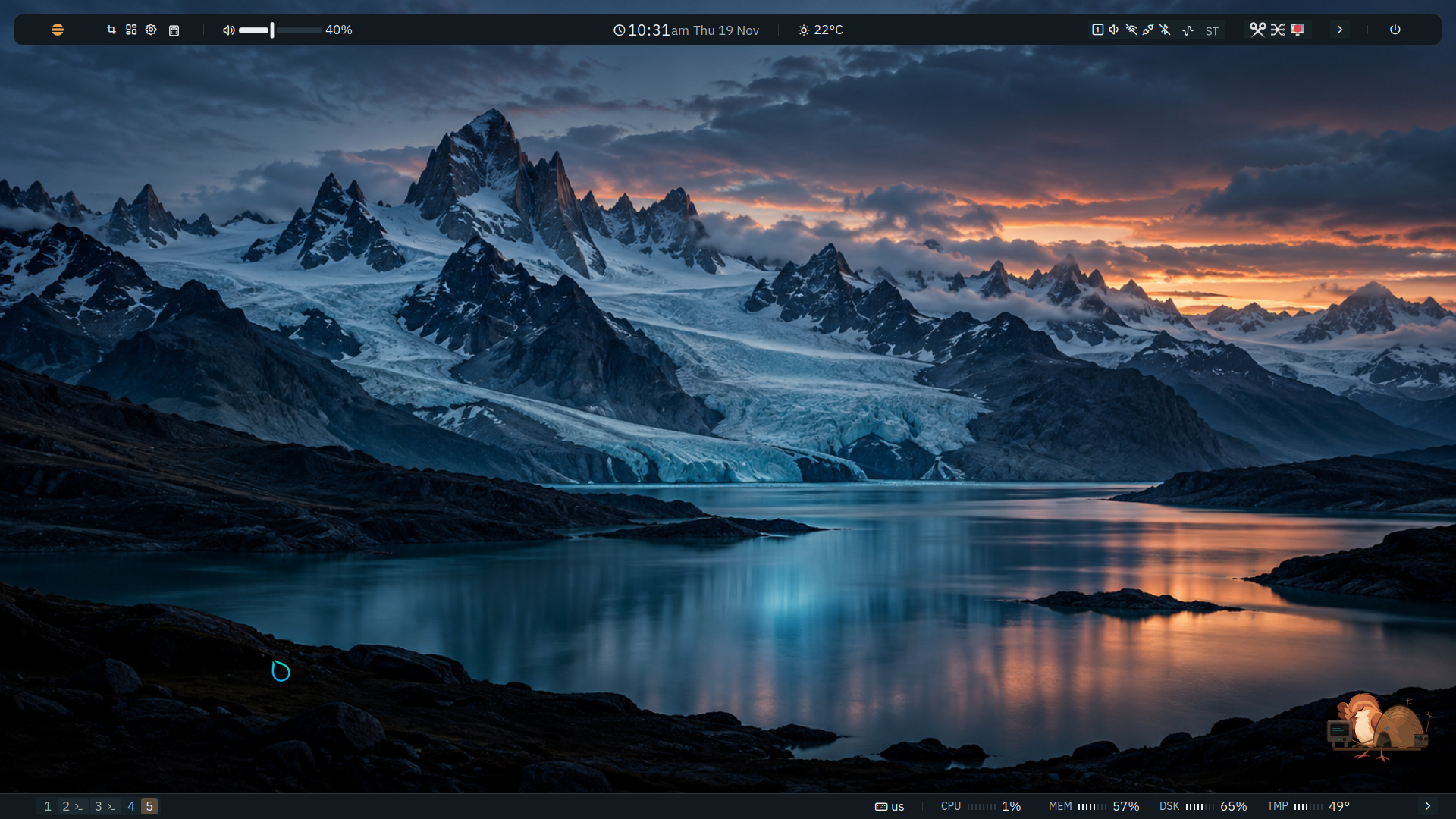
Patagonia, a Hornero Original — real capture. Photo credit on
Wallpapers.
Explore HorneroOS · Editions · Documentation · Hornero Signal RFC · Releases
HorneroOS composes the system, the desktop and the everyday tools into one product. Every edition shares a Wayland-first desktop built around Hornero Shell; Hyprland is the supported default compositor, and Niri is experimental.
- Desktop — the everyday workstation for development and daily work.
- Studio — Desktop plus a creative toolchain: PipeWire with JACK, Ardour, Blender, Krita, Kdenlive and OBS Studio.
- Gaming — Desktop plus 32-bit Vulkan, GameMode, Gamescope and MangoHud.
Hornero Signal is the design language for every first-party surface: shell, extensions, GTK and Qt apps, terminals, lock screen, login greeter, installer and website. Its direction is a contemporary engineering workstation from an alternate 1990s Argentina — broadcast control rooms, oscilloscope bezels, test cards and technical drawing sheets — executed with modern restraint.
- Work first. Quiet, matte chrome. Amber marks what is live or primary; celeste marks focus and information.
- Instrument, not toy. Hairline rules, small radii, segmented meters, tabular numerals in IBM Plex, and Hornero Glyphs for icons.
- Legible at a glance. Every theme passes WCAG AA contrast checks, with a high-contrast mode and reduced motion built in.
- Themes own colour. Signal Night (the default), Signal Day, Signal High Contrast and regional Hornero Originals are authored palettes; the wallpaper never recolours the interface.
Signal replaces the Material 3 design system the shell inherited. It is
defined in RFC 0001
and the Signal Visual Language,
and tracked in HorneroOS/.github#28.
It is on the main branches now and reaches installable media with the next
Preview release; shell surfaces are still being redesigned.
HorneroOS is pre-release software. The edition catalogue and release notes are the source of truth for maturity; package availability alone does not mean an edition is supported.
| Product area | Current status |
|---|---|
| HorneroOS Desktop | Preview. Hyprland is the supported default compositor. |
| HorneroOS Studio | Preview. Installable from the Preview ISO; hardware validation is pending. |
| HorneroOS Gaming | Preview. Installable from the Preview ISO; hardware validation is pending. |
| Niri desktop session | Experimental. Capability and workflow coverage is still evolving. |
| Server and Agents | Planned. Not offered as installable editions. |
| Hornero Signal | In development on main. Preview ISOs up to v0.2.0-preview32 still ship the previous appearance. |
| Installation media | Signed Preview ISO v0.2.0-preview32 with SHA-256 and GPG signature; VM-tested on UEFI (unencrypted). Legacy BIOS, encrypted installs and physical hardware were not tested on this artifact. |
See the release page and the installation status before trying a build. Back up important data and use disposable hardware or a virtual machine for preview media.
Hornero Shell began as a Quickshell extraction from the maintainer's
dotfiles, whose runtime derives from
Caelestia's shell by
soramane. Its GPL-3.0 license and attribution
are preserved in the shell's NOTICE. The Hornero Left and Hornero
Right layouts are inspired by Caelestia's layout and say so. HorneroOS has
since replaced the runtime's design system, appearance pipeline and
interfaces with its own. IBM Plex (SIL OFL 1.1) and Tabler Icons (MIT) are
credited where they ship.
For contribution routing and cross-repository source-of-truth boundaries, see the repository map.
For product and interface work, start with RFC 0001 and the design language in the docs repository (the website copy follows its pinned docs revision), then check the edition catalogue and the compositor capability guide.
| Repository | What it owns |
|---|---|
| hornero | Edition catalogue, package composition, release pins, horneroctl and system integration. |
| shell | Hornero Shell: bars, launcher, dashboard, notifications, Control Center, PluginKit and desktop interactions. |
| config | Signal token schema and themes, desktop defaults, wallpapers, brand assets and system configuration. |
| plugins | First-party shell extensions and the curated extension catalogue. |
| greeter | SDDM login experience and its packaged visual assets. |
| installer | Provisional installation workflow and media; check its README for validation status. |
| docs | User, contributor and architecture documentation, including the design RFCs. |
| website | The official product site, captures and documentation experience. |
| qa | Reproducible graphical and system acceptance evidence. |
| .github | Organization profile, contribution guidance and community health files. |
- New to HorneroOS? Explore the website and Getting Started.
- Choosing an edition? Compare Desktop, Studio and Gaming.
- Looking for themes or layouts? Visit the theme gallery and layout guide. Desktop captures on the website predate Hornero Signal and show the previous appearance until Signal captures replace them.
- Planning an installation? Read the installation repository and verify its current maturity before using any media.
- Following installer readiness? Use the public HorneroOS Installer project for acceptance work and the transition to Panda Foss's custom official installer.
- Looking for the roadmap? Every issue lives in the HorneroOS Roadmap; specialized boards: Shell & Desktop, Platform & Release, Docs, Web & Governance.
- Found a bug? Pick a structured form at new issue. An install problem? Report it in the installer repo at new install issue; include the ISO name, your firmware type and the step where it failed.
- Want to help? Read the contribution guide, find the owning repository above, then check its open issues and pull requests.
HorneroOS is developed in the open. Contributions, careful bug reports and thoughtful product feedback are welcome.
