

XRF Tools is an open-source desktop application and command-line toolkit for reading, validating, editing, packing, and converting assets for S.T.A.L.K.E.R.: Call of Pripyat–style X-Ray games.
- Windows: desktop application and CLI.
- Linux: CLI.
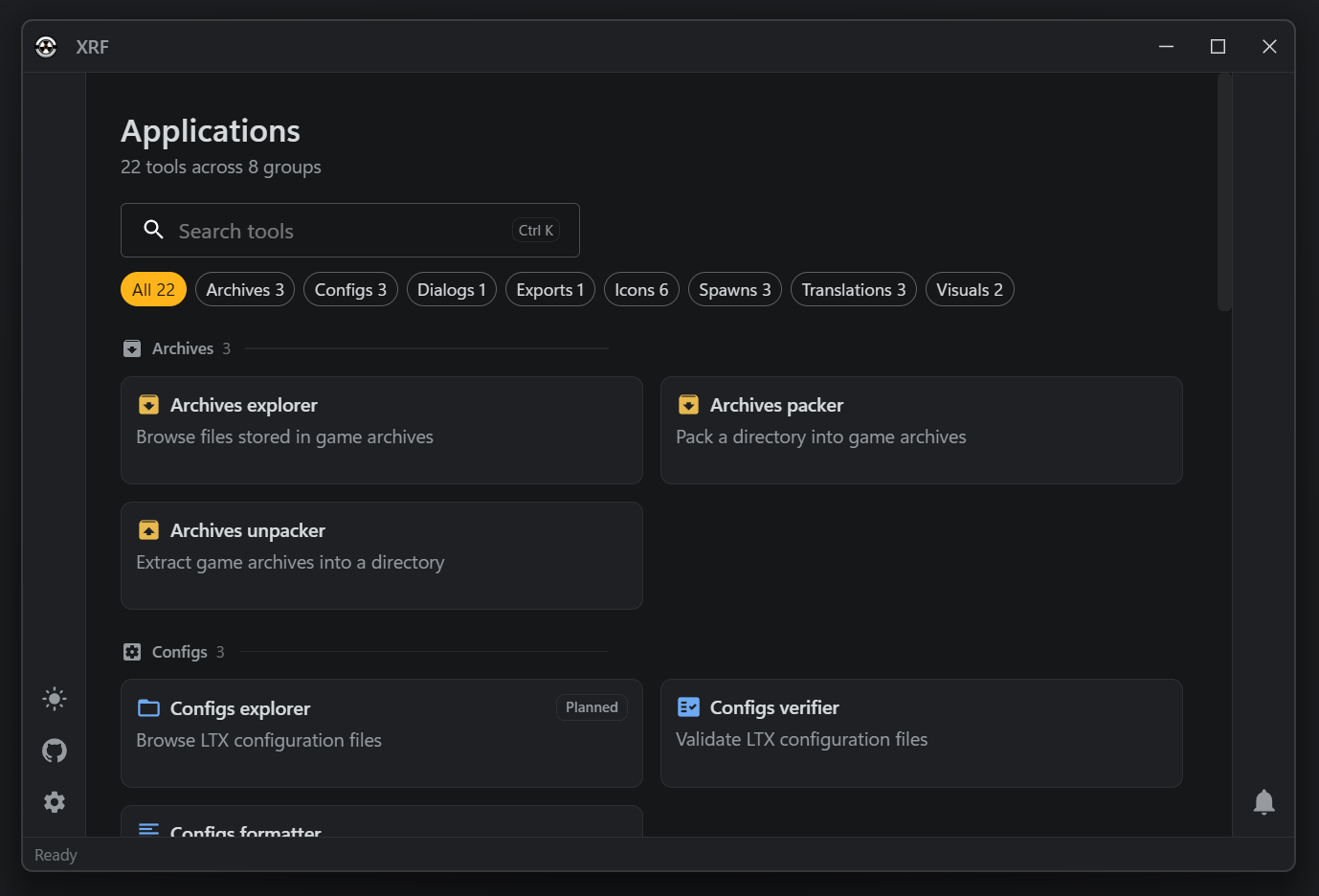
The Windows application provides focused workspaces for:
- browsing, extracting, and packing X-Ray archive volumes;
- browsing LTX configs, dialog trees, quests, info portions, character profiles, and script exports, and formatting or validating LTX files;
- previewing OGF visuals and their motions in 3D;
- inspecting, unpacking and packing spawn files and icon sprite sheets;
- parsing, editing, building, and checking translations;
- validating assembled
gamedatatrees.
xrf-cli is for repeatable local work, scripts, and CI. Its command groups cover X-Ray archives, assembled game data,
LTX configurations, dialogs and script externs, DDS and THM textures, OGF models, OMF motions, particle libraries, spawn
files, icon sprites, and translations. Commands can emit JSON reports for automation.
The CLI reference documents every command and option.
XRF Tools targets vanilla Call of Pripyat assets first. Support is expanding to other X-Ray 1.6–based forks, whose format and engine differences can vary by project. Validate write operations against a copy of the assets you intend to ship.
The repository is a Rust workspace with a Tauri desktop app and React UI.
The CLI needs Rust 1.97.1 and Cargo Make. The desktop app also needs Node.js 24 or later, pnpm 11.9.0, and the Tauri CLI.
After installing Rust, Node.js, and pnpm, install the project tools and locked UI dependencies:
rustup toolchain install 1.97.1
cargo install cargo-make --locked
cargo install tauri-cli --locked
pnpm --dir bin/xrf-ui install --frozen-lockfilecargo make build-cli-release
cargo make build-app-releaseFor desktop development, run the backend and UI together:
cargo make dev-appSee Development commands for the complete task reference.
Run the complete local check suite before contributing a change:
cargo make verifyCLI e2e tests live in the xrf-tools-e2e repository.
- XRF Book — guides for the application and CLI.
- CLI reference — generated command and option reference.
- Issue tracker — report a reproducible problem or propose an improvement.
- MIT License