
A secure, self-hosted web-based file manager for S3-compatible storage buckets.



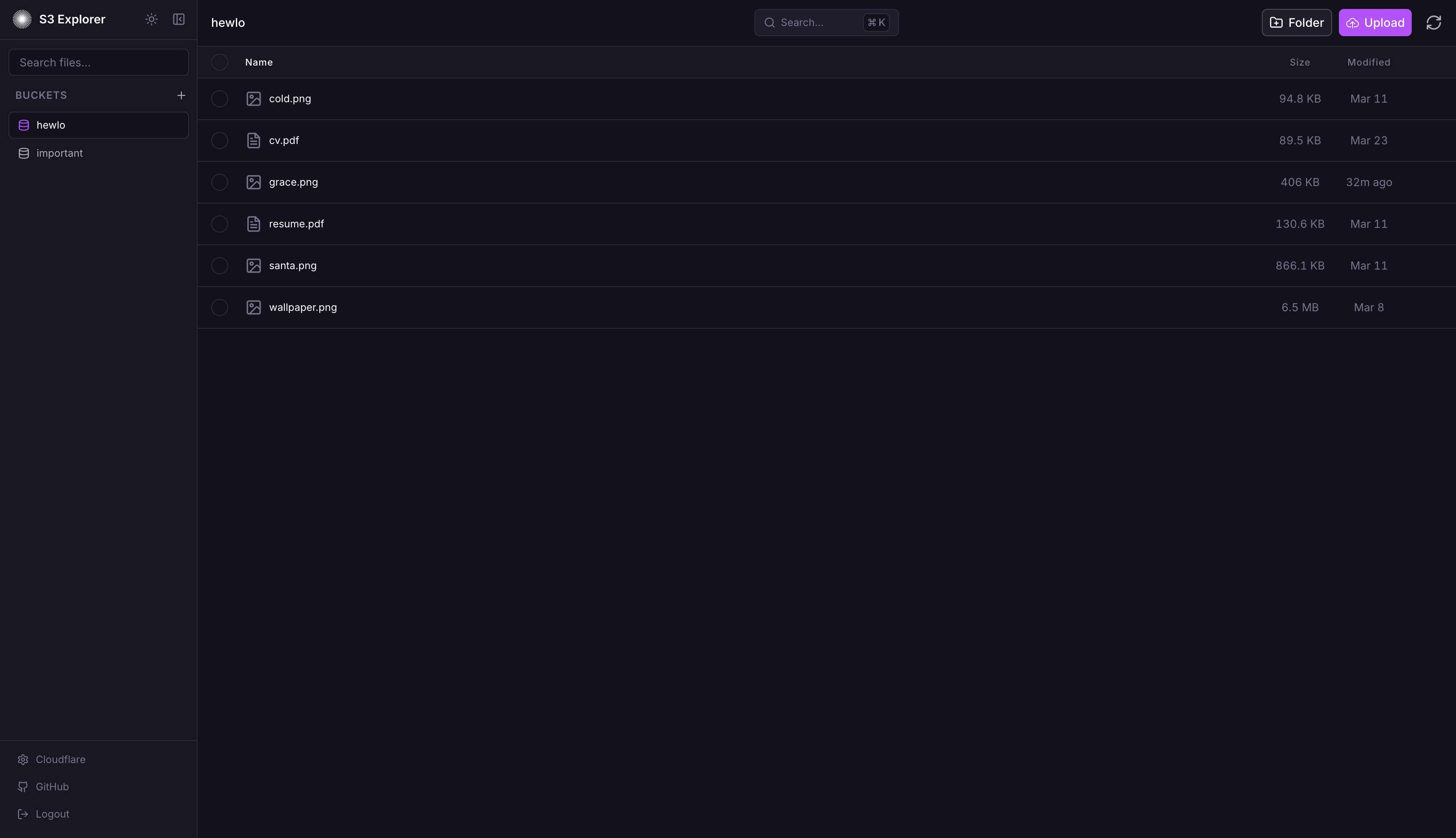
Managing S3 buckets often requires command-line tools or provider-specific dashboards that vary significantly in usability. S3 Explorer unifies this experience by offering a single, consistent web interface to upload, download, and organize files across any S3-compatible provider.
Supported Providers:
- Railway Buckets
- AWS S3
- Google Cloud Storage
- Cloudflare R2
- MinIO
- DigitalOcean Spaces
- Any other S3-compatible API (Garage, Ceph RGW, SeaweedFS, …)
flowchart TB
    subgraph Client["Browser Client"]
        UI["React + Tailwind UI"]
        API["API Client"]
    end

    subgraph Server["Express Server"]
        Auth["Auth Middleware"]
        Routes["API Routes"]
        Session["Session Store"]
        Crypto["AES-256-GCM"]
    end

    subgraph Storage["Persistence Layer"]
        SQLite[("SQLite DB")]
        EncKey["Encryption Key"]
    end

    subgraph External["S3 Providers"]
        S3["AWS S3 / R2 / MinIO"]
    end

    UI --> API
    API -->|HTTPS + Cookies| Auth
    Auth --> Routes
    Routes --> Session
    Routes --> Crypto
    Session --> SQLite
    Crypto --> EncKey
    Crypto --> SQLite
    Routes -->|S3 SDK| S3
- Password Auth: Single password via env var or setup wizard (Argon2id hashed)
- Encrypted Credentials: S3 credentials encrypted at rest with AES-256-GCM
- Secure Sessions: Server-side SQLite sessions with httpOnly + sameSite=strict cookies (secure flag auto-enabled over HTTPS)
- Rate Limiting: IP-based, 10 attempts per 15 min, 30 min lockout
- Security Headers: Helmet.js enabled (CSP, HSTS, etc.)
- No Client Storage: Credentials never stored in browser localStorage
- Drag-and-drop file uploads
- Create folders for organization
- Rename files and folders
- Delete files and folders with confirmation
- Batch select and delete multiple items
- Download files through secure server proxy
- Download folders or multi-selections as a single
.zip, streamed on the fly - In-browser file preview
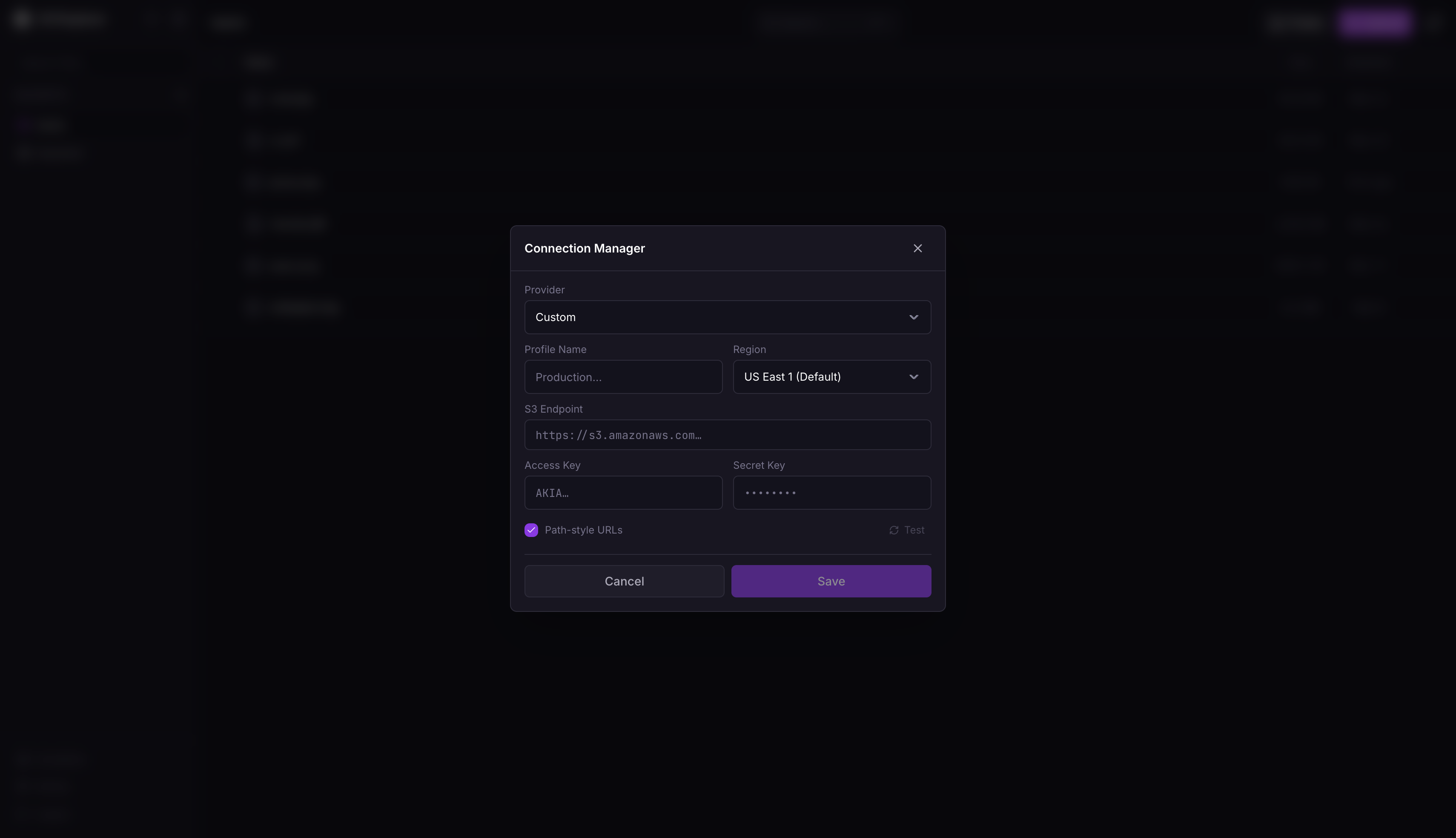
- Store up to 100 S3 connections
- Instant switching between connections
- All credentials encrypted server-side
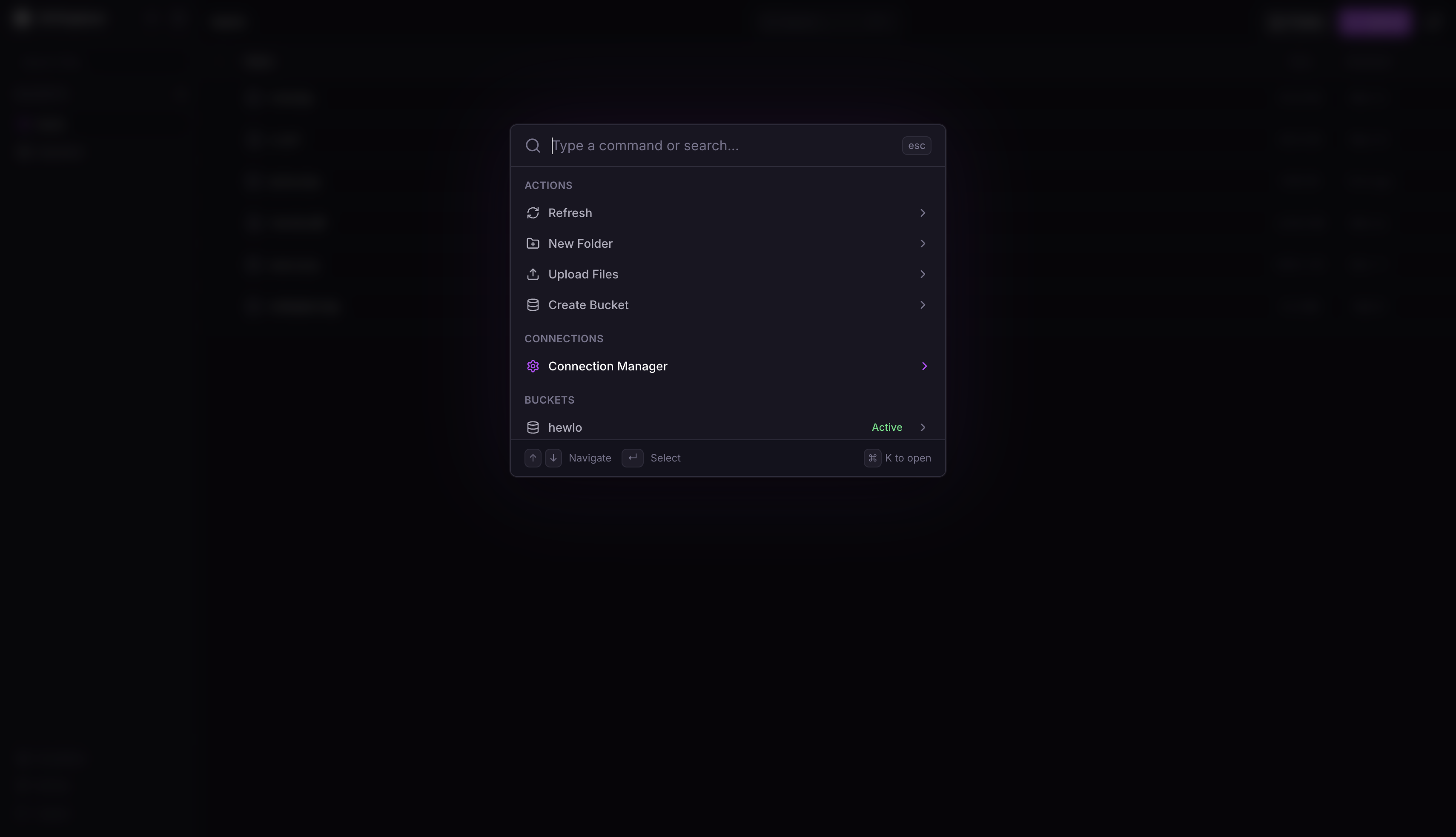
Cmd+K/Ctrl+K: Open command paletteCmd+,/Ctrl+,: Open connection managerCmd+U/Ctrl+U: Upload filesEscape: Close active modal

- Fork repo
- New project → Deploy from GitHub
- Add volume: mount path
/data - Set environment variables:
APP_PASSWORD: Strong password (12+ chars, mixed case, numbers, symbols)SESSION_SECRET: Random 32+ character string (useopenssl rand -hex 32)
Or skip these and configure through the setup wizard on first launch.
Seeing
SqliteError: unable to open database file(SQLITE_CANTOPEN) after attaching the volume? Railway mounts volumes asroot, and the image's entrypoint fixes the ownership at startup. Make sure the service has no custom start command (it would bypass the entrypoint), or setRAILWAY_RUN_UID=0.
docker run -d --name s3explorer --restart unless-stopped -p 3000:3000 -e APP_PASSWORD='YourStr0ng!Pass#2024' -e SESSION_SECRET="$(openssl rand -hex 32)" -v s3explorer_data:/data ghcr.io/subratomandal/s3explorer:latestservices:
s3-explorer:
image: ghcr.io/subratomandal/s3explorer:latest
restart: unless-stopped
ports:
- "3000:3000"
environment:
- APP_PASSWORD=YourStr0ng!Pass#2024
- SESSION_SECRET= # Generate with: openssl rand -hex 32
volumes:
- s3explorer_data:/data
volumes:
s3explorer_data:Set
SESSION_SECRETto the output ofopenssl rand -hex 32. Do not use the example passwords in production.
npm run install:all

export APP_PASSWORD='DevPassword123!'
export SESSION_SECRET='dev-secret-not-for-production-use!!'
export DATA_DIR='./data'

npm run dev
Backend runs on :3000, frontend on :5173.
APP_PASSWORD(optional): Login password. Must be 12+ chars with upper, lower, number, special char. If not set, a setup wizard will appear on first launch to configure it.SESSION_SECRET(optional): Session signing key. Useopenssl rand -hex 32. If not set, a random secret is generated (sessions will be lost on server restart). Can also be configured through the setup wizard.DATA_DIR(optional): SQLite/key storage path. Default:/dataPORT(optional): Server port. Default:3000NODE_ENV(optional): Environment (production/development)
- Create a Bucket in your Railway project canvas
- Go to the Bucket's Credentials tab
- Use values:
- Endpoint: Your Bucket endpoint from the Credentials tab
- Access Key: Your Bucket Access Key ID
- Secret Key: Your Bucket Secret Access Key
- Go to Cloudflare Dashboard → R2 Object Storage
- Click Manage R2 API Tokens
- Create token with Admin Read & Write permissions
- Use values:
- Endpoint:
https://<account_id>.r2.cloudflarestorage.com - Access Key: Your R2 Access Key ID
- Secret Key: Your R2 Secret Access Key
- Endpoint:
- Go to AWS Console → IAM
- Create user with
AmazonS3FullAccesspolicy - Create access key under Security Credentials
- Use values:
- Endpoint:
https://s3.<region>.amazonaws.com - Access Key: Generated Access Key ID
- Secret Key: Generated Secret Access Key
- Endpoint:
- Go to Google Cloud Console → Cloud Storage → Settings → Interoperability
- Create an HMAC key under your user account or a service account
- Use values:
- Endpoint:
https://storage.googleapis.com - Access Key: Generated HMAC Access Key
- Secret Key: Generated HMAC Secret
- Bucket Name: Required — GCS interop requires the connection scoped to one bucket
- Endpoint:
- Go to DigitalOcean Dashboard → Spaces Object Storage
- Navigate to API → Spaces Keys
- Generate new key
- Use values:
- Endpoint:
https://<region>.digitaloceanspaces.com(e.g.,https://nyc3.digitaloceanspaces.com) - Access Key: Generated Spaces Access Key
- Secret Key: Generated Spaces Secret Key
- Endpoint:
- Access your MinIO console
- Navigate to Access Keys
- Create new access key
- Use values:
- Endpoint: Your MinIO URL (e.g.,
https://minio.example.com) - Access Key: Generated Access Key
- Secret Key: Generated Secret Key
- Endpoint: Your MinIO URL (e.g.,
- Choose the
Customprovider - Use values:
- Endpoint: Your server's S3 API URL
- Region: Pick
Custom…in the region dropdown and enter whatever your server expects (e.g., Garage usesgarage) - Access Key / Secret Key: From your server's key management
- Path-style URLs: Usually required for self-hosted servers
- Frontend: React, Tailwind, Vite
- Backend: Express, TypeScript
- Database: SQLite (better-sqlite3)
- Auth: Argon2, express-session
MIT
Created by @subratomandal