Repository navigation
Frontend Config UI Adding a new module config
Frontend UI configuration
https://github.com/shiksha-platform/shiksha-community/discussions/29#discussioncomment-3014954
- Create config JSON structure for module similar to attendance schema - https://github.com/shiksha-platform/admin-ui/blob/main/modules/config-ui/src/services/Attendance/attendance-config-schema.json
- Stringify json - https://jsonformatter.org/json-stringify-online
- Add form to backend using API - https://sandbox.shikshaplatform.io/api/swagger-docs/#/AdminForm/AdminFormController_createAdminForm
POST
/api/v1/adminFormpost body -
{ "moduleId": "module name here...", "formSchema": "stringified json (step-2 above)schema here..." } - In Admin UI application, add navigation menu for new module
- file - apps/admin-console/src/App.jsx, add new entry children in
navLinksarray
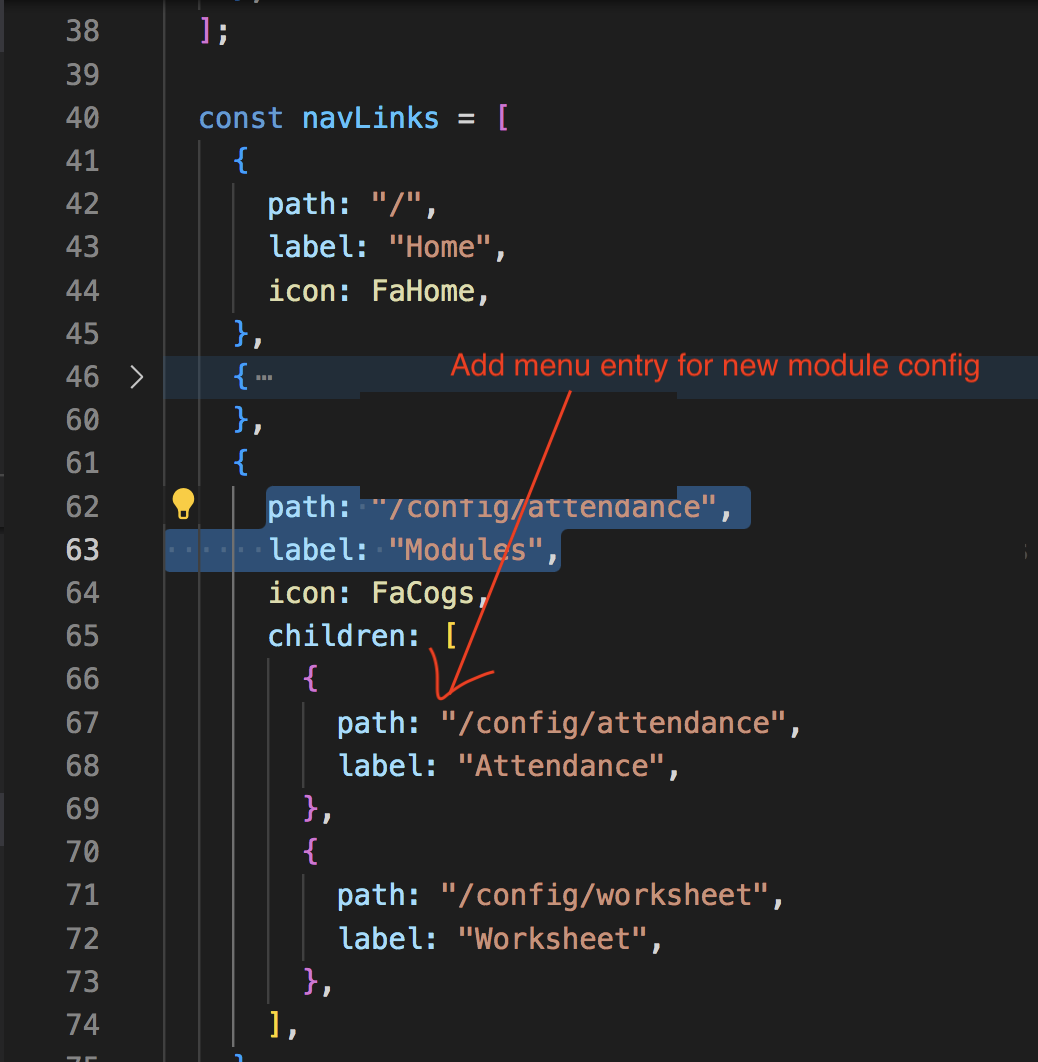
Run admin ui application and see the new menu entry visible to edit configuration
