

This custom firmware is based on the Official Firmware for Flipper Zero, and includes most of the awesome features from Unleashed. It is a direct continuation of the Xtreme firmware, built by the same (and only) developers who made that project special.
This isn't just a firmware - it's a fully autonomous AI-driven development platform for Flipper Zero. We combine cutting-edge features with an unprecedented AI automation infrastructure.
- 8 Specialized AI Agents working 24/7 on development, security, and operations
- MCP (Model Context Protocol) integration for real-time agent capabilities
- Strawberry Toolkit for AI hallucination detection in code review
- Smart Flash - AI-enhanced build workflows with ESP orchestration
- Automated App Management - One command to sync the entire Flipper Catalog
- Auto USB Ethernet - Zero-config internet sharing (FLIPPER_AUTO_ETHERNET.md)
- Plug in Flipper → USB Ethernet auto-enabled → Internet auto-shared
- One-time setup:
sudo ./scripts/install-flipper-auto-ethernet.sh
- Native USB Ethernet with HTTP download helpers (NativeEthernet.md)
- ESP Flasher FAP - Flash WiFi modules with lwIP HTTP download (ESP_FLASHER_GUIDE.md)
- Auto-download ESP32 Marauder firmware over USB Ethernet
- Support for all ESP32 variants (ESP32, S2, S3, C3)
- One-click flash for WiFi Devboard v1
- Forked Submodule Workflow for guaranteed compile-time stability
- Asset Pack System - Complete theming with Anims/Icons/Fonts
- Extended JavaScript API - Mass storage, file operations, and more
- Advanced Security - Lock on boot, PIN protection, secure storage
- Momentum Settings App - Configure everything from one place
- Desktop Keybinds - Full key remapping and press/hold actions
- Main Menu Customization - Add directories, JS files, reorganize freely
- Bad-Keyboard - Full BLE/USB spoofing with custom VID/PID
- RGB Backlight - Rainbow mode and per-app color profiles
The goal of this firmware is to constantly push the bounds of what is possible with Flipper Zero, driving the innovation of many new groundbreaking features, while maintaining the easiest and most customizable user experience of any firmware. Fixing bugs promptly and ensuring a stable and compatible system is also of our utmost importance.
-
Customizable: You can tweak just about everything you see: add/remove apps from the menu, change the animations, replace icon graphics, change your Flipper's name, change how the main menu looks, setup different keybinds like never before, and so much more. All on-device, with no complicated configuration.
We politely welcome contributions in any programming language, as long as they help the project and are well documented. For guidance on style, tooling, and build requirements, see CONTRIBUTING.md.
Note that mentioned below are only a few of our staple additions to the firmware. For a full list check down here.
We offer a powerful and easy-to-use application tailor-made for our firmware, that lets you configure everything you could dream of, and more:


-
Interface: Tweak every part of your Flipper, from the desktop animations, to the main menu, lockscreen behavior, file browser, etc.
-
Protocols: Configure SubGhz settings, add/remove custom frequencies, extend SubGhz frequencies to 281-361, 378-481, 749-962 MHz and setup which GPIO pins are used by different external modules.
-
Misc: Everything else that doesn't fit the previous categories. Change your Flipper's name, XP level, screen options, and configure the RGB backlight.
We created our own improved Animation / Asset system that lets you create and cycle through your own Asset Packs with only a few button presses, allowing you to easily load custom Animations, Icons and Fonts like never before. Think of it as a Theme system that's never been easier.

Asset Pack can configure its own Anims, Icons & Fonts.

SD/asset_packs (if you did this right you should see SD/asset_packs/PackName/Anims and/or SD/asset_packs/PackName/Icons). Alternatively, install directly using the website.

Arrow Up button on the main menu and go to Momentum Settings > Interface > Graphics. Here choose which asset pack you want and tweak the other settings how you prefer, then exit the app to reboot and enjoy your fully customized Flipper!

In Bluetooth mode it allows you to spoof the display name and MAC address of the device to whatever you want. Showing up as a portable speaker or a wireless keyboard is easily doable, allowing you to get the attention of your target without needing a cable at hand.
In USB mode it also enables additional functionality to spoof the manufacturer and product names, as well as vendor and product IDs (VID/PID).
There are too many to name them all, this is a non-comprehensive list of the most notable from an end-user perspective. For a more detailed list, you can read through the changelogs and commits/code. Also, you can find a feature comparison with other firmwares on our website.
Note that this repo is always updated with the great work from our friends at Unleashed and the latest changes from OFW. Below are mentioned only our changes that we can actually be credited for, so make sure to check their fantastic additions aswell. And a huge thank you to both teams!
📋 View detailed changes (Added, Updated, Removed)
[Added]

### Core Firmware Features
- Momentum App (Easy configuration of features and behavior of the firmware)
- Asset Packs (Unparalleled theming and customization)
- Native USB Ethernet support (CDC-ECM) - [Read Docs](documentation/NativeEthernet.md)
- USB Ethernet HTTP download helper (HTTP GET to Storage via lwIP)
- More UI customization, redesigns and optimizations
- Bad-Keyboard App
- BLE Spam App
- FindMy Flipper App
- NFC Maker App
- Wardriver App
- File Search across SD Card
- Additional NFC parsers and protocols
- NFC Type 4 protocol and NTAG4xx support
- Subdriving (saving GPS coordinates for Sub-GHz)
- Easy spoofing (Name, MAC address, Serial number)
- Video Game Module color configuration right from Flipper
- Enhanced RGB Backlight modes (Full customization & Rainbow mode)
- File management on device (Cut, Copy, Paste, Show, New Dir, etc.)
- Remember Infrared GPIO settings and add IR Blaster support in apps
- Advanced Security measures (Lock on Boot, reset on false pins, etc.)
- Disk Image management (Mount and view image contents, open in Mass Storage)
- Extended JavaScript API (Support for UsbDisk/Mass Storage, File operations)

### AI & Developer Tooling Infrastructure
- **Multi-Agent AI System** for 24/7 autonomous development (8 specialized agents)
- **Smart Flash Target** - AI-enhanced build and flash workflow with ESP MCP orchestration
- **Warp CLI** (`scripts/flipper_warp_cli.py`) - Direct CLI control for AI agents
- **App Catalog Manager** (`scripts/warp_app_manager.py`) - Automated app downloads
- **Strawberry Toolkit** - AI hallucination detection for code review
- **MCP Server Integration** - GitHub, Context7, ESP Flasher, Playwright
- **FlipperSerial Submodule** (`tools/fz`) - Python library for device communication
- **ESP MCP Orchestrator** - Rust-based build automation with real-time monitoring
- **Forked Submodule Workflow** - Automated dependency sync - [Read Docs](documentation/ForkedDevelopment.md)
- **Agent Task Router** - Intelligent distribution of development tasks
- **WARP.md Documentation** - Comprehensive AI agent integration guide[Updated]
- Enhanced WiFi support for easiest setup ever
- Extended keyboard with cursor movement and symbols
- File Browser with Sorting, More supported File Types
- Advanced and optimized Level System (Up to 30 levels)
- Desktop Keybind system for full key and press/hold remapping
- Storage backend with instant rename and virtual mounting for disk images
- Expanded Sub-GHz App (Duplicate detection & Ignore, Autosave, History improvements)
- Improved Error Messages (Showing source file paths)[Removed]
- Unused Dummy Mode
- Broken or Superfluous appsThere are 4 methods to install Momentum, we recommend you use the Web Updater, but choose whichever one you prefer:
Web Updater (Chrome)
- Make sure qFlipper is closed
- Open the Web Updater
- Click
Connectand select your Flipper from the list- Select which update
Channelyou prefer from the dropdown- Click
Installand wait for the update to complete
Flipper Lab/App (chrome/mobile)
- (Desktop) Make sure qFlipper is closed
- (Mobile) Make sure you have the Flipper Mobile App installed and paired
- Open the latest release page
- Click the
☁️ Flipper Lab/App (chrome/mobile)link- (Desktop) Click
Connectand select your Flipper from the list- (Desktop) Click
Installand wait for the update to complete- (Mobile) Accept the prompt to open the link in the Flipper Mobile App
- (Mobile) Confirm to proceed with the install and wait for the update to complete
qFlipper Package (.tgz)
- Download the qFlipper package (.tgz) from the latest release page
- Make sure the
WebUpdaterandlab.flipper.netare closed- Open qFlipper and connect your Flipper
- Click
Install from file- Select the .tgz you downloaded and wait for the update to complete
Zipped Archive (.zip)
- Download the zipped archive (.zip) from the latest release page
- Extract the archive. This is now your new Firmware folder
- Open qFlipper, head to
SD/updateand simply move the firmware folder there- On the Flipper, hit the
Arrow Downbutton, this will get you to the file menu. In there simply search for your updates folder- Inside that folder, select the Firmware you just moved onto it, and run the file thats simply called
Update
# Clone the repository with all submodules
$ git clone --recursive --jobs 8 https://github.com/joseguzman1337/Momentum-Firmware.git
$ cd Momentum-Firmware/$ ./fbt smart_flashWhat it does:
- Builds complete updater package with all resources
- Auto-installs Python dependencies (
colorlog,pyserial) - Launches ESP MCP orchestrator (if Rust
cargois available) - Provides beautiful, color-coded progress output
- Auto-detects Flipper USB port and ESP devboard port
- Handles both firmware and WiFi devboard updates seamlessly
Requirements:
- Flipper connected via USB
- qFlipper closed
- Optional: Rust/Cargo for ESP MCP orchestrator features
# Full flash (firmware + radio stack + resources)
$ ./fbt flash_usb_full

# Firmware only (faster, for code-only changes)
$ ./fbt flash_usb$ ./fbt flashAuto-detects supported debug probes (ST-Link, Blackmagic, WiFi devboard, etc.)
# Full updater package (for Web Updater / qFlipper)
$ ./fbt updater_package

# Minimal package (firmware DFU only)
$ ./fbt updater_minpackage

# Build firmware distribution
$ ./fbt fw_dist

# Build external app plugins
$ ./fbt fap_dist# Build and launch a specific app
$ ./fbt launch APPSRC=your_appid
# Build with unit tests
$ ./fbt FIRMWARE_APP_SET=unit_tests updater_package# Auto-download missing apps from Flipper Catalog
$ python3 scripts/warp_app_manager.py# Direct device CLI access for AI agents
$ ./scripts/flipper_warp_cli.py <command>
# Examples:
$ ./scripts/flipper_warp_cli.py uptime
$ ./scripts/flipper_warp_cli.py storage info
$ ./scripts/flipper_warp_cli.py led r 255For comprehensive AI agent integration, MCP server usage, and advanced automation workflows:
📖 See WARP.md for detailed documentation on:
- Warp CLI agent control patterns
- MCP server integration
- Build automation for CI/CD
- Unit test execution workflows
- Linting and formatting automation
<h2 align="center">AI Automation Ecosystem</h2>

This repository hosts a sophisticated **Multi-Agent AI System** designed for 24/7 autonomous development, security operations, and architectural governance. Our AI infrastructure enables fully automated firmware development, testing, and deployment workflows.

<details>
<summary><b>🤖 View Agent Roster & Automation Infrastructure</b></summary>

### Agent Roster
The system is orchestrated by a collaborative fleet of specialized AI agents, each with specific capabilities and domain expertise:

| Agent | Role | Focus Area | Primary Tools |
|-------|------|------------|---------------|
| **Gemini** | **Architect** | Strategic planning, System Design, Orchestration | MCP Servers, Architecture Review |
| **Codex** | **Engineer** | Feature implementation, Bug fixes, Refactoring | GitHub Copilot, Code Generation |
| **Claude** | **Security** | CVE patching, Vulnerability scanning, Hardening | Strawberry Toolkit, Security Analysis |
| **Jules** | **Ops** | Async Cloud tasks, Submodule synchronization | Cloud APIs, Async Workflows |
| **DeepSeek** | **Performance** | Optimization, Latency reduction | Profiling, Benchmarking |
| **Warp** | **QA** | Code quality analysis, Test generation, CI/CD | Warp CLI, FBT Automation |
| **Amazon Q** | **Infra** | Cloud infrastructure, AWS/GCP integrations | AWS Services, Firebase |
| **Kiro** | **Build** | FBT (Flipper Build Tool) workflow automation | Smart Flash, Build Optimization |

### Core Automation Scripts

#### Build & Flash Automation
- **`scripts/flipper_warp_cli.py`**: Direct CLI interface for agents to communicate with connected Flipper devices
  - Stateless command execution (no interactive shell overhead)
  - Auto-discovery of serial ports (`/dev/ttyACM0`)
  - Integrated FlipperSerial library from `tools/fz` submodule
  - Mock dependency handling for restricted environments
  - Usage: `./scripts/flipper_warp_cli.py <command>`

- **ESP MCP Orchestrator** (`.ai/esp_mcp_orchestrator/`): Rust-based orchestration tool for smart flash workflows
  - Real-time progress monitoring with colored output
  - Automatic ESP port detection
  - Integration with `smart_flash` FBT target
  - Handles dependency installation (`colorlog`, `pyserial`)

#### App Management
- **`scripts/warp_app_manager.py`**: Fully automated Flipper app catalog manager
  - Fetches latest apps from official Flipper Catalog API
  - Scans existing `applications/external` and `applications_user` directories
  - Identifies missing apps and auto-clones from GitHub
  - Extracts repository URLs from catalog metadata
  - Usage: `python3 scripts/warp_app_manager.py`

#### Agent Orchestration
- **`.ai/scripts/orchestrator.py`**: The central nervous system
  - Multi-agent task distribution and load balancing
  - Run with `--yolo-mode` for full autonomous operation
  - Coordinates between Gemini, Claude, Codex, and other agents

- **`.ai/scripts/sync_submodules.py`**: Forked dependency management
  - Automates synchronization of all forked submodules
  - Verifies compile-time integrity before merging
  - See [Forked Development Documentation](documentation/ForkedDevelopment.md)

- **`.ai/scripts/task_router.py`**: Intelligent task routing
  - Analyzes task requirements and routes to optimal agent
  - Context-aware agent selection based on specialization

- **`.ai/scripts/notify.py`**: System-wide notification bus
  - Cross-agent communication channel
  - Slack/Discord integration for build status alerts

### Security & Quality Assurance

#### Strawberry Hallucination Detection
The **Strawberry Toolkit** (`.ai/strawberry/`) provides advanced hallucination detection for AI-generated code:
- Static analysis of AI code contributions
- Pattern recognition for common AI mistakes
- Integration with Claude Security Agent for CVE scanning
- Automated PR review with hallucination flagging

### MCP (Model Context Protocol) Integration

We leverage **MCP servers** to give our AI agents real-time access to:
- **ESP Flasher MCP** (`.ai/mcp/servers/esp_mcp/`): Direct control of ESP32 flashing operations
- **GitHub MCP**: PR creation, issue management, code review automation
- **Context7 MCP**: Up-to-date library documentation for accurate code generation
- **Playwright MCP**: Automated web testing and UI validation

See **WARP.md** for detailed MCP usage and integration patterns.

### Developer Tools & Submodules

- **`tools/fz`** (submodule from [x31337/fz](https://github.com/x31337/fz)): FlipperSerial library
  - Python library for Flipper Zero serial communication
  - Used by Warp CLI for agent-driven device control
  - Mock-friendly architecture for testing environments

- **`.ai/mcp/servers/esp_mcp`**: ESP32 operations via MCP protocol
  - Flash firmware to WiFi devboard
  - Monitor serial output
  - Automated port detection

</details>


### Submodule Synchronization
We use a forked submodule workflow to verify integrity and compile-time stability.
To sync all submodules to your personal fork:
```bash
python3 .ai/scripts/sync_submodules.py
For more details, see Forked Development Documentation.
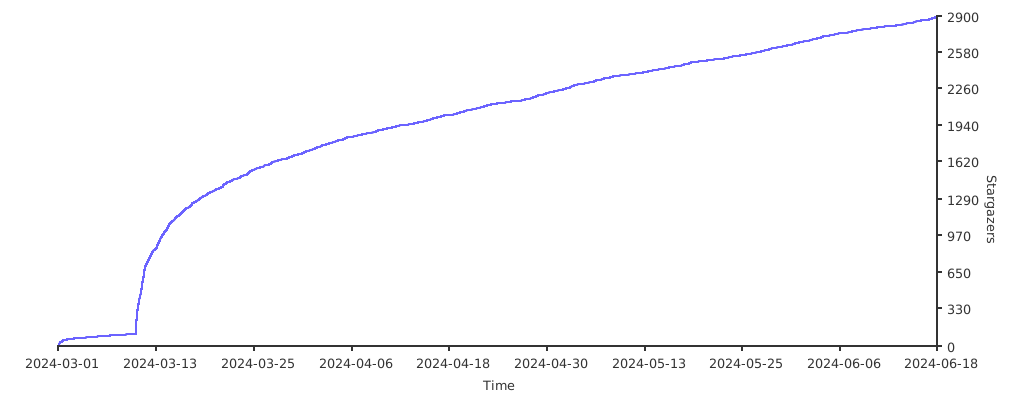
If you enjoy the firmware please spread the word! And if you really love it, maybe consider donating to the team? :D
Ko-fi: One-off or Recurring, No signup required
PayPal: One-off, Signup required
BTC:
1EnCi1HF8Jw6m2dWSUwHLbCRbVBCQSyDKm
Thank you <3
