
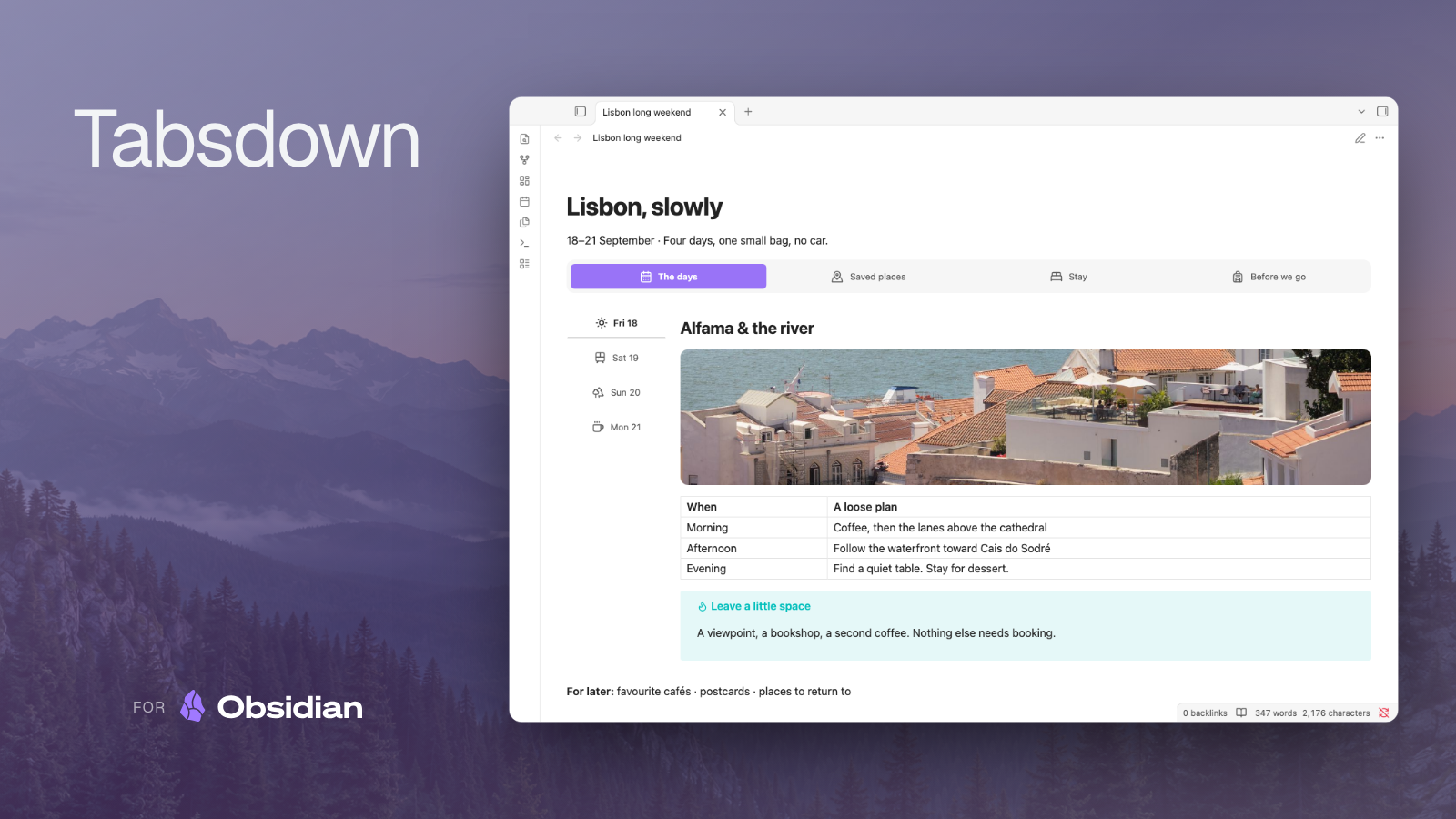
Theme-native Markdown tabs for Obsidian. Works in Reading View and Live Preview on desktop and mobile.


Install and enable Tabsdown, then paste this into a note:
%% tabs %%
%% tab: Overview %%
Read the summary here.

%% tab: Checklist %%
- [ ] Review the details
- [ ] Update this note
%% endtabs %%
Keep each marker on its own line and give every tab a unique, non-empty label. A layout needs at least two tabs. Open Reading View to read it, or use Live Preview to read and edit it.
Watch Tabsdown in Obsidian

Click the active body, or focus its tab and press Down, to edit its Markdown. Arrows move into and out of the layout. Cmd/Ctrl+A selects the active body’s text, and Undo/Redo uses the note’s history. Escape restores the rendered body. Switching tabs keeps your edits; switching alone does not change the note.
The active body uses a plain Markdown editor, without Obsidian’s rich Live Preview or third-party suggestions. Incomplete layout syntax may reveal the note’s source. If the same note is open in multiple editing panes, close the extra editor before editing a tab.
Right-click a block to Add tab. Double-click a label to rename it; Enter saves and Escape cancels. Delete tab is in the tab’s context menu, requires confirmation, and is disabled when only two tabs remain.
Use the block’s context menu for position, overflow, density, personality, palette, and alignment. To keep those settings in the source, put %% config: position=left, personality=rail %% before the first tab. Style Settings supplies global defaults.
Labels support bold, italic, strikethrough, inline code, and bundled Lucide icons, such as %% tab: icon:code Python %%. Other label Markdown stays literal.
Bodies can contain embeds, queries, callouts, math, Mermaid, and compatible plugin blocks rendered by Obsidian. Nested layouts keep their own labels, settings, and active tabs. Marker and fenced layouts can nest inside each other.
For a fenced layout, use:
```tabsdown
tab: Overview
Read the summary here.
tab: Checklist
- [ ] Review the details
```
Keep tab: and optional config: lines at column zero. Use matching backtick or tilde fences and make the outer fence longer than any matching fences inside it. Source Mode exposes the complete layout syntax.
- Marker and editing examples — Write and edit marker layouts, including nested tabs.
- Tab authoring — Add, rename, and delete tabs from the rendered layout.
- Demo test matrix — Explore content, nesting, and interaction examples.
- Style Settings — Set global appearance defaults and understand block overrides.
- CSS snippets — Customize spacing, colors, and tab shapes with a vault snippet.
- Quartz publishing — Render tabs on a Quartz site with the separate publishing plugin.
- Templater recipes — Generate tab layouts from static or prompted templates.
- Embedding tabs from another plugin — Use
mountTabsto display existing plugin panels.
Install with BRAT using grafanaKibana/obsidian-tabsdown, or copy main.js, manifest.json, and styles.css from the same release into <Vault>/.obsidian/plugins/tabsdown/. Reload Obsidian and enable Tabsdown.
Runs locally on desktop and mobile, with no network requests, telemetry, or account.