
Free Roblox Server Filtering
A powerful, 100% free alternative to paid Roblox extensions.




Version 44.5 · Created & maintained by Oqarshi
Official Website
·
Report issue
·
View Source
🔥 RECOMMENDED: Install Violentmonkey for the best experience and fastest server region searching!
📍 If Violentmonkey is blocked: Use ScriptCat as an alternative!
🔗 RoLocate Official Page
🔗 RoLocate Source Code
🚨 GreasyFork and the GitHub Repository are the only official sources to install RoLocate.
Do not trust third-party versions or reuploads.
RoLocate is a Roblox userscript that adds tons of useful features — most notably server filtering and SmartSearch, helping you find the best servers faster and smoother.
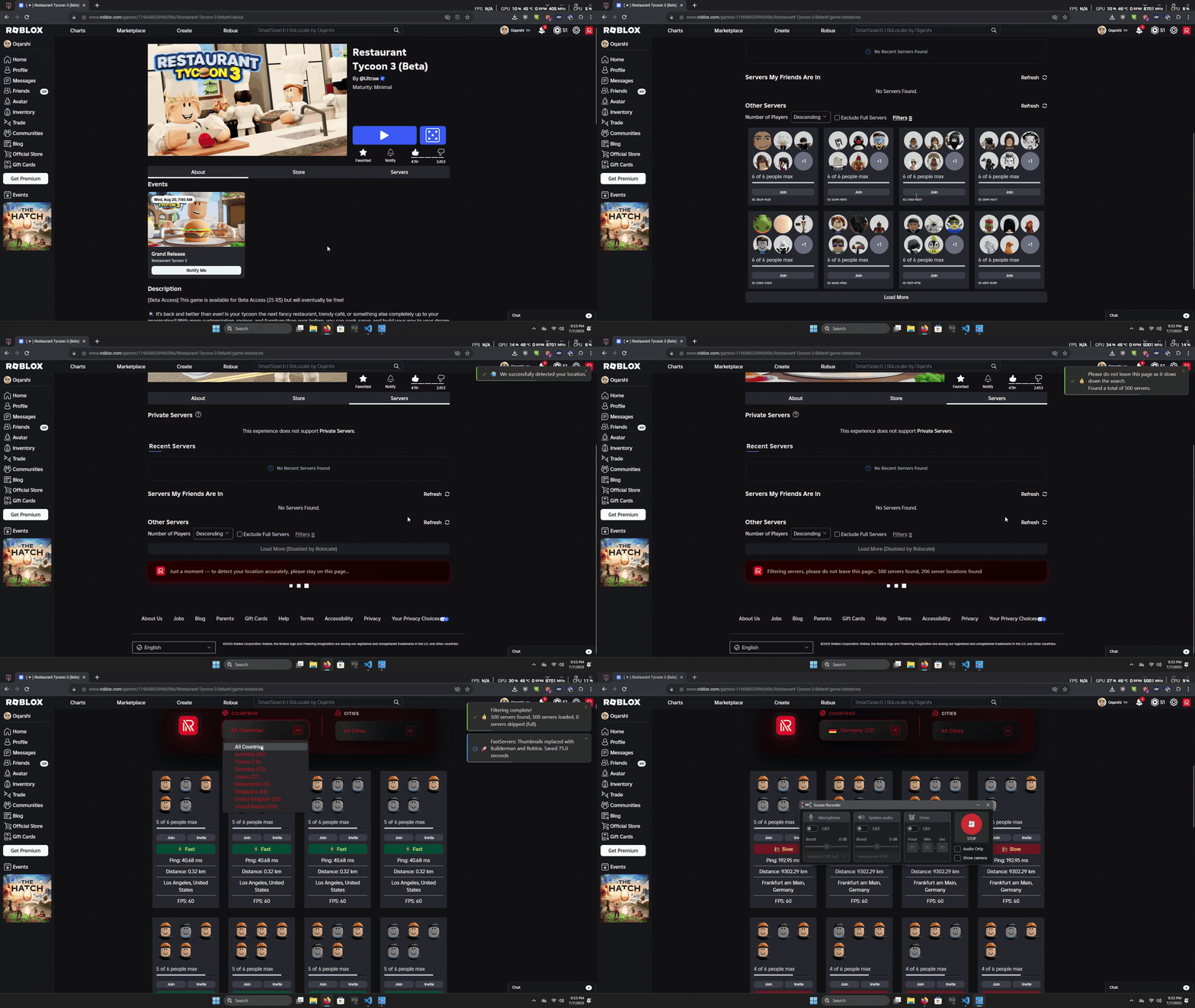
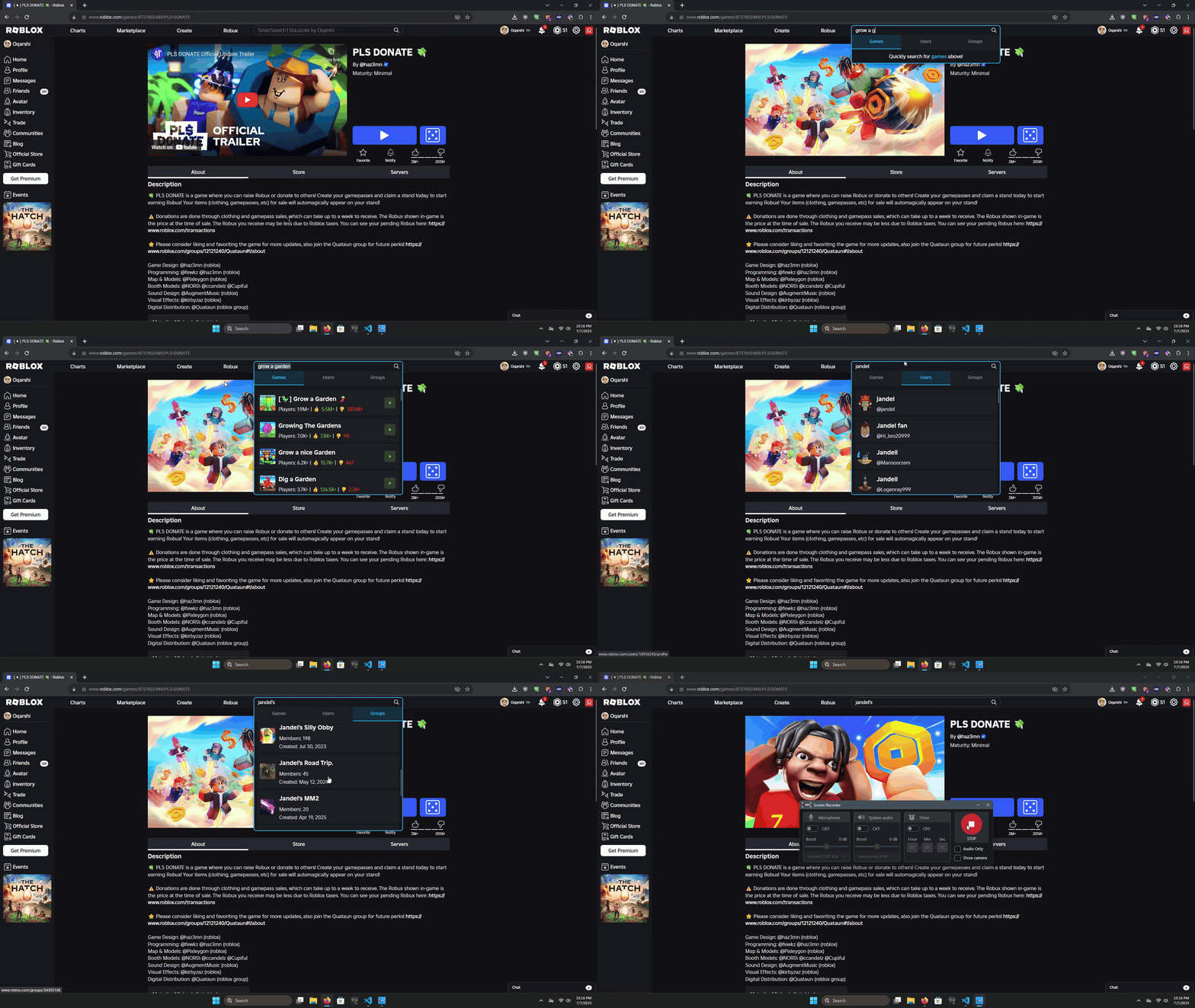
- 🔍 SmartSearch – Instantly search for games, users, and groups right from the Roblox search bar.
- 🌍 Auto Server Regions – Shows enhanced servers with region and ping info.
- ⚡ Fast Server Search – Loads server lists up to 100× faster by optimizing assets.
- 🔄 Invert Player Count – View lowest or highest population servers first.
- 🕓 Recent Servers – Quickly rejoin servers you’ve visited in the last 3 days.
- 🎬 Disable Trailer Autoplay – Stops trailers from auto-playing.
- 📍 Smart Join Popup – Shows server region and details before joining.
- ❌ Remove All Roblox Ads – Removes most ads across Roblox.
- 🔄 Restore Classic Terms – Changes words like “Connections” → “Friends.”
- 🧭 Quick Nav – Adds customizable navigation shortcuts.
- 🖼️ Custom Backgrounds – Lets you style the Roblox site your way.
- 🛠️ Enable Console Logs – See what the script’s doing in your browser console.
- ✅ Enable Server Filters – Turn on the advanced filtering UI on game pages.
- 🔁 Enable Server Hop Button – Instantly hop to a new game server.
- 🔔 Enable Notifications – Get in-browser alerts for updates and actions.
- 📌 Set Default Location – Manually choose a fallback region.
- 🧹 Game Quality Filter – Hide low-quality games automatically.
- 🧑🤝🧑 Mutual Friends – View mutual friends on user profiles.
- 💬 Disable Chat – Completely remove chat from Roblox.
- 🚀 Quick Launch Games – Start your favorite games instantly.
- 👋 Show Old Greeting – Bring back the classic Roblox homepage greeting.
- 👤 Better Friends – Redesigns the friends list and adds Best Friends.
-
Install a Userscript Manager
Recommended: Violentmonkey for fastest performance.
If blocked, use ScriptCat. -
Go to GreasyFork
Install from GreasyFork – a trusted userscript repository. -
Install the Script
Click Install, confirm the popup, and you’re good to go.
You can view the full source code under the Code tab. -
Visit Roblox
Go to Roblox.com and enjoy all the new features!
🔹 Does RoLocate work on all browsers?
Almost — it works on all major browsers except Safari (untested).
🔹 Is RoLocate free to use?
Yes, RoLocate is completely free and open-source.
🔹 How do I update RoLocate?
If installed via GreasyFork, updates are automatic.
🔹 I don’t see the filter button!
Try refreshing first. If that fails, reinstall everything or ask on GreasyFork Feedback.
🔹 Can I use RoLocate on mobile?
Yes, refer to this Video.
🔹 How does RoLocate find server locations?
It uses a modified Roblox DevForum method.
🔹 My question isn’t answered here!
Visit the Troubleshooting Page or leave a message on GreasyFork Feedback.
- 📊 Live Player Count Updates
- 🌐 Preferred Region
📄 Custom License – Personal Use Only
You may use and modify this script for personal, non-commercial purposes only.
Do not reupload, resell, or redistribute any version of this script.
🎉 Enjoy RoLocate! Feedback and suggestions are always welcome!