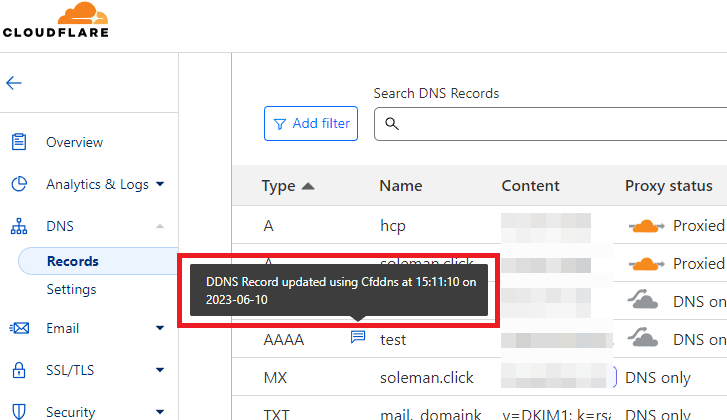
A no nonsense python script to treat Cloudflare as a dynamic DNS. Run as Docker container/scheduled task.
I couldn't find a decent tool to dynamically update IP address in my Cloudflare account, so I created this one here. It is based on Cloudflare and by default is set to update the IP address hourly. But the schedule can be changed and record type as well.
Only requires domain and API token !!
There are various ways to set it up.
Perhaps the easiest way. Run the script directly with Python (no external dependencies needed). Or, grab one of the binary releases if you don't want to install Python.
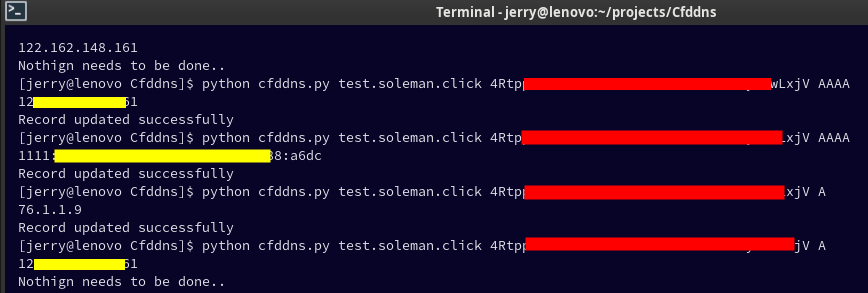
Run it like this:
python3 cfddns.py <Domain> <API_Key> <Record_Type>
Example:
python3 cfddns.py test.example.com sjdgbueioengfai-sdfjkbf A
I have already provided the task.scheduler.bat file in the repository.
Open it with a text editor and change the path to the script and path to the python.
Next, just double click on the bat file and a task will be created.
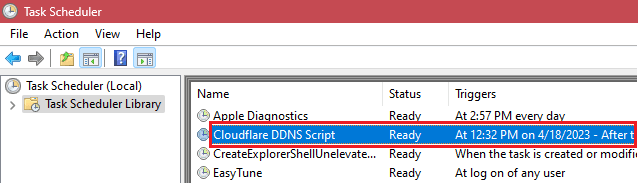
This task will run hourly, but you can also tweak the schedule to make it run at desired interval.
There is a Dockerfile so that you can make it run as a docker container. Make sure that Docker is installed. On Debian and Ubuntu based systems and servers, you can install Docker via Snapcraft by running:
snap install docker
Here's next.
- Clone the repo:
git clone https://github.com/Suleman-Elahi/Cfddns - Change directory:
cd Cfddns - Build image:
docker build -t cfddns . - Run the container with your credentials:
docker run -d --name cfddns --restart=always \
  -e CFDDNS_DOMAIN=yourdomain.com \
  -e CFDDNS_API_KEY=your_api_token_here \
  -e CFDDNS_RECORD_TYPE=A \
  cfddns
Or, run in interactive mode to test:
docker run -it --rm \
  -e CFDDNS_DOMAIN=yourdomain.com \
  -e CFDDNS_API_KEY=your_api_token_here \
  -e CFDDNS_RECORD_TYPE=A \
cfddns| Variable | Required | Description |
|---|---|---|
CFDDNS_DOMAIN |
Yes | The full domain to update (e.g. sub.example.com) |
CFDDNS_API_KEY |
Yes | Cloudflare API token with DNS edit permissions |
CFDDNS_RECORD_TYPE |
Yes | DNS record type: A, AAAA, MX, or NS |
Docker's default bridge network does not route IPv6. Use host networking:
docker run -d --name cfddns --restart=always \
  --network host \
  -e CFDDNS_DOMAIN=yourdomain.com \
  -e CFDDNS_API_KEY=your_api_token_here \
  -e CFDDNS_RECORD_TYPE=AAAA \
cfddnsNote: On personal computers, you may need to use sudo docker instead of just docker in the above commands.
The script only updates the IP if your machine's public IP and IP on Cloudflare do not match.
PRs are welcome :)