I developed this Movie_Api as part of my Full-Stack Web Development Course at CareerFoundry.
This RESTful movie API combines backend (express, nodejs , mongodb) and frontend (react) and allowed me to get hands-on experience with the MERN stack. I chose this specific stack, because I had prior knowledge of JavaScript and using node.js and React would therefore be the best choice to combine backend and frontend.
This API allows a users to access a database to receive information on movies dealing with the topic of climate change. Also, the user can get background information on the movies such as information about the movies' directors and genre specifications. The user can sign up, update personal information and save/delete favorite movies to/from his personal profile.
Being a beginner I obviously learned a lot from implementing this API. The most important learnings are:
- when working with multiple routes and endpoints, it is necessary to organize your project files (e.g. routes, models, middleware) and do division of concerns (use express.Router), summarize routes (via route chaining) and extract data to a separate file (extraction method on handlers) as much as possible. Otherwise, the index.js gets blown out of proportion.
- installing nodemon and an express error handler is very useful during development. Both save time.
- I am not sure, if Swagger is the best documentation software. Indentation and syntax errors are hard to spot and fix, a great amount of time goes into fulfilling YAML requirements for formatting.
- Visualizing the database in form of a schema before starting to fill it with content. Thus, inconsistencies become apparent right at the start and that avoids later extensive and error-prone refactoring.
- I used the non-relational database MongoDB, which doesn't have a predefined schema like postgreSQL. Though given the flexibility to omit certain keys, where unnecessary, I still stuck to a unified document-structure in order to avoid the side effect of messy, mismatched data and to not confuse the final user.
- Since I could not use primary and foreign keys - as I would have done in a relational database - I decided on using references (here: favorite movies of a user) to avoid redundant data.
- Before installing Homebrew (on a Mac) in order to use MongoDB, make sure to fulfill the system requirements for homebrew (https://docs.brew.sh/Installation). Otherwise, this can paralyze your progress for a day.
- when uploading data to HEROKU, it was necessary to use a format without a wrapping array and no commas between documents.
- when deploying to HEROKU the version of node.js should be 16.14.2, not higher. And also the binaries of the node.js and npm versions should match up. I specified the matching versions in the package.json.
- Clone or download repository ...
git clone https://github.com/LisaPMunich/Movie-API.git
- install mongodb
npm install mongodb-
Connect with own MongoDB (local or external) define CONNECTION_URI as environment variable, otherwise it will connect to mongodb://localhost:27017/test
-
start the server
npm run startIn order to use the application you have to register as a user at https://young-fjord-17804.herokuapp.com/users and then https://young-fjord-17804.herokuapp.com/login to get the jwt token.
- MongoDB
- node.js, usage of package.json
- Express
- RESTful architecture
- usage of at least three middleware modules
- database: built with MongoDB
- business logic layer: modeled with Mongoose
- API return movies in JSON
- no code-errors
- testing in Postman
- security measures: code for user authentication, user authorization, data validation, meet data security regulations (GDPO)
- Deployment on GitHub
- Deployment on Heroku
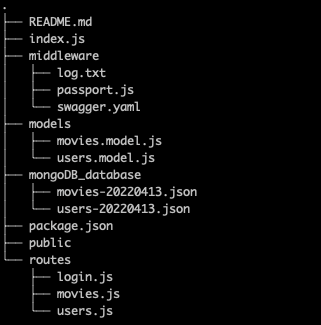
Here is a quick breakdown of the project structure, in order to understand what part of the project I am referring to in the description of the following steps.
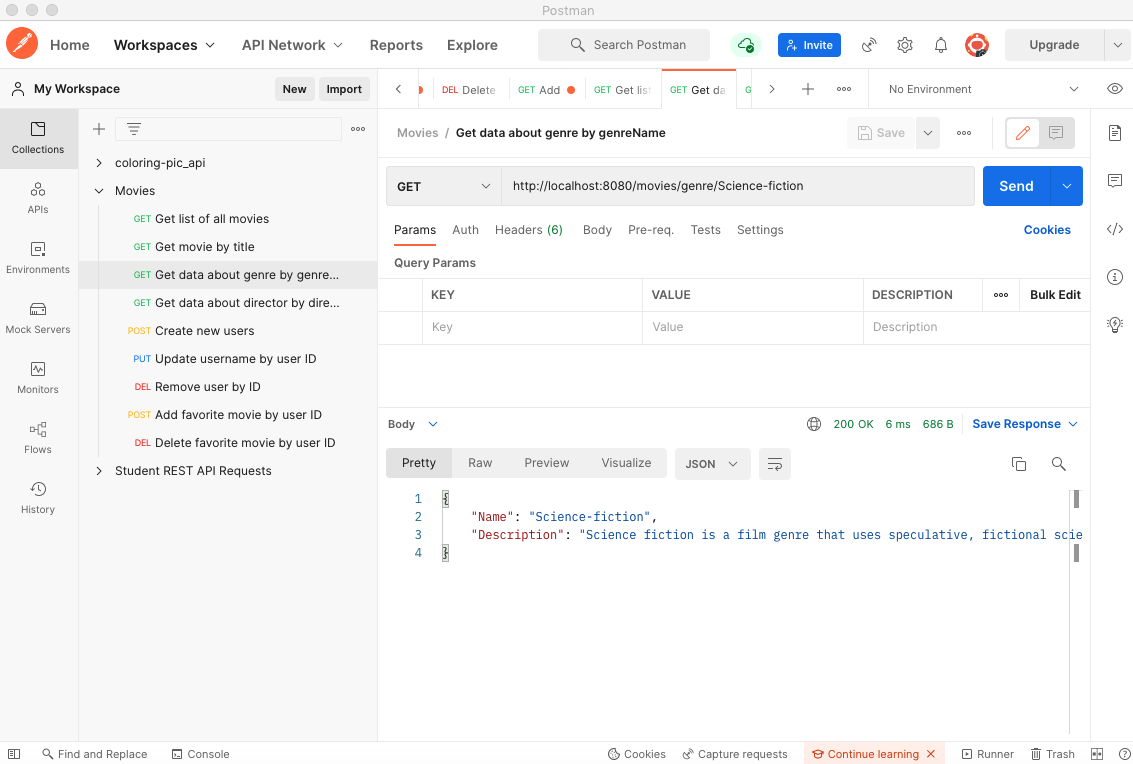
Postman: Testing of endpoints
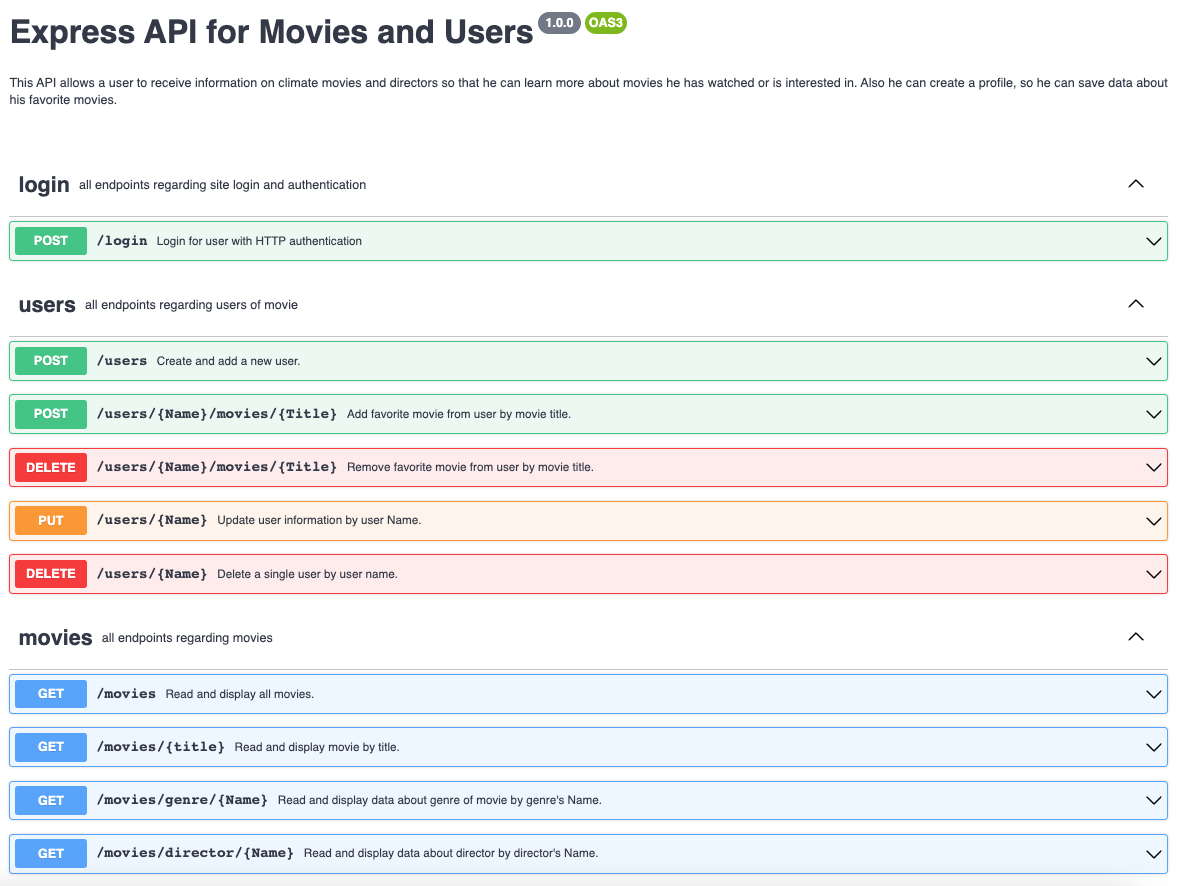
Swagger: Writing documentation of endpoints

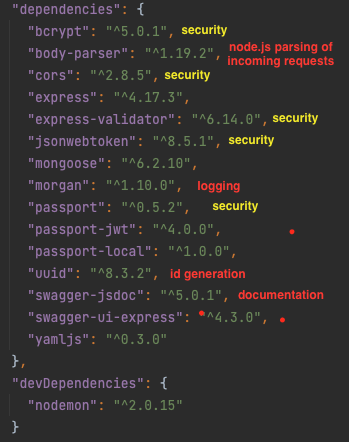
See the dependencies listed in the package.json:
- use database schema diagram to sketch structure of database, division into two collections ("movies" and "users").
- installing mongo shell
- use Mongo Shell to create database with CRUD operations
- Create the 2 collections "movies" and "users".
- Add 10 documents to the "movies" collection (including embedded documents for the keys "genre" and "director").
- In the "users" collection - consisting of 4 documents - references are used to store information about the user's favorite movies.
Use Mongoose to build the Business Logic Layer linking the database from MongoDB to the server (and finally to the Web Browser).
Process:
- Installation of object model driver Mongoose
- Installation of dependencies: jsonwebtoken (jwt), bcrypt
- Configuring the schemata for the users and the movies collection
- Creation of the Models in a separate models.js file
- Exporting the models to index.js
- Rewriting the CRUD operations to query the mongoose models
- Integrating Mongoose with the REST API
- Apply local and jwt authentication methods
- Test the endpoints in Postman

- rewrite the Swagger documentation


- Implement basic HTTP authentication for initial login requests
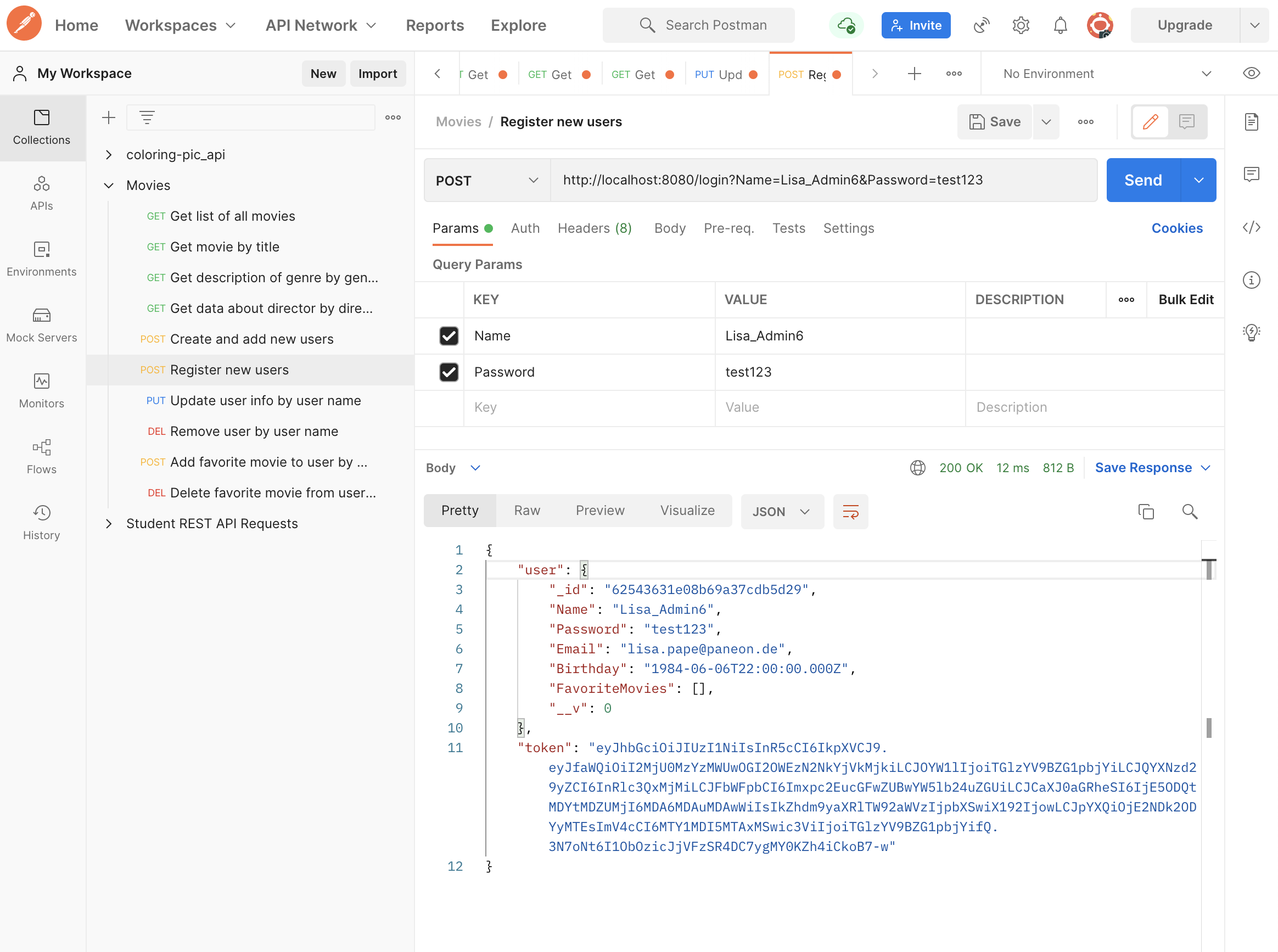
- implement login query with generation of JWT token, see screenshot below demonstration working endpoint in Postman:
- Update Swagger documentation
- CORS in Express (set to allow for all origins)
- Bcrypt for Password hashing (see screenshot)

- Express-Validator for server-side data input validation

- Adjust Environment variable to not reveal Connection URI


- register with heroku, install toolbelt
- change port
- create Heroku app
- create mongodb instance on MongoDBAtlas
- export MongoDB database with mongodump (each collection as json, without commas between documents, not arrays)
- push Git main to Heroku
- add version of node.js (16.14.2) to package.json,
- change HEROKU version from 20 to 18
- remove programming/ code errors (reference HEROKU documentation)
