Gaming is Desktop plus a Gaming experience mode, diagnostics and helpers for Steam, Proton, Feral GameMode, Gamescope and MangoHud. The goal is to stay out of the way of your game.
Maturity: Supported. The experimental Gamescope handheld session is labelled Experimental and unqualified on every device. No game is certified.
Switch with horneroctl mode set gaming (or the launcher). Under a
fullscreen window on Hyprland:
- Bars and drawers: Guarantee: Drawers close, input regions drop, bar disabled; only the area picker uses the Overlay layer
- Keyboard focus: Guarantee: The shell does not request exclusive focus (except surfaces you open: area picker, companion chat)
- Notifications: Guarantee: Non-critical popups are filed without a popup and counted; critical ones still show
- Polling: Guarantee: System and network telemetry paused
- Desktop widgets and clock: Guarantee: Hidden
- Idle: Guarantee: Inhibited while fullscreen
- Motion, glow, scanlines: Guarantee: Off, cannot be overridden
- Hyprland tuning: Guarantee: Gaps, rounding, shadow, blur off; tearing allowed; restored by reloading your config when you leave
Limits: detection is Hyprland-only; a borderless window that merely fills the screen is a normal window to the compositor and is not treated as fullscreen; controller handling is the compositor's and Steam's, the shell adds no controller rules.
horneroctl gaming doctor: Vulkan loader/ICD (64 and 32-bit), GPU driver coherence, Steam, Proton builds, GameMode and its client libraries,vm.max_map_count, NVIDIA DRM modeset and 32-bit userspace, PipeWire, portal, controllers. Gamescope and MangoHud are optional: absent isWARN, not a failure (Gamescope fails only if you selected the Handheld profile).horneroctl gaming launch-options --gamemode --mangohud: prints a Steam launch string from the tools that are installed. It never edits Steam. Gamescope composition (--gamescope --width --height --refresh --fullscreen) is a template, not a recommendation.
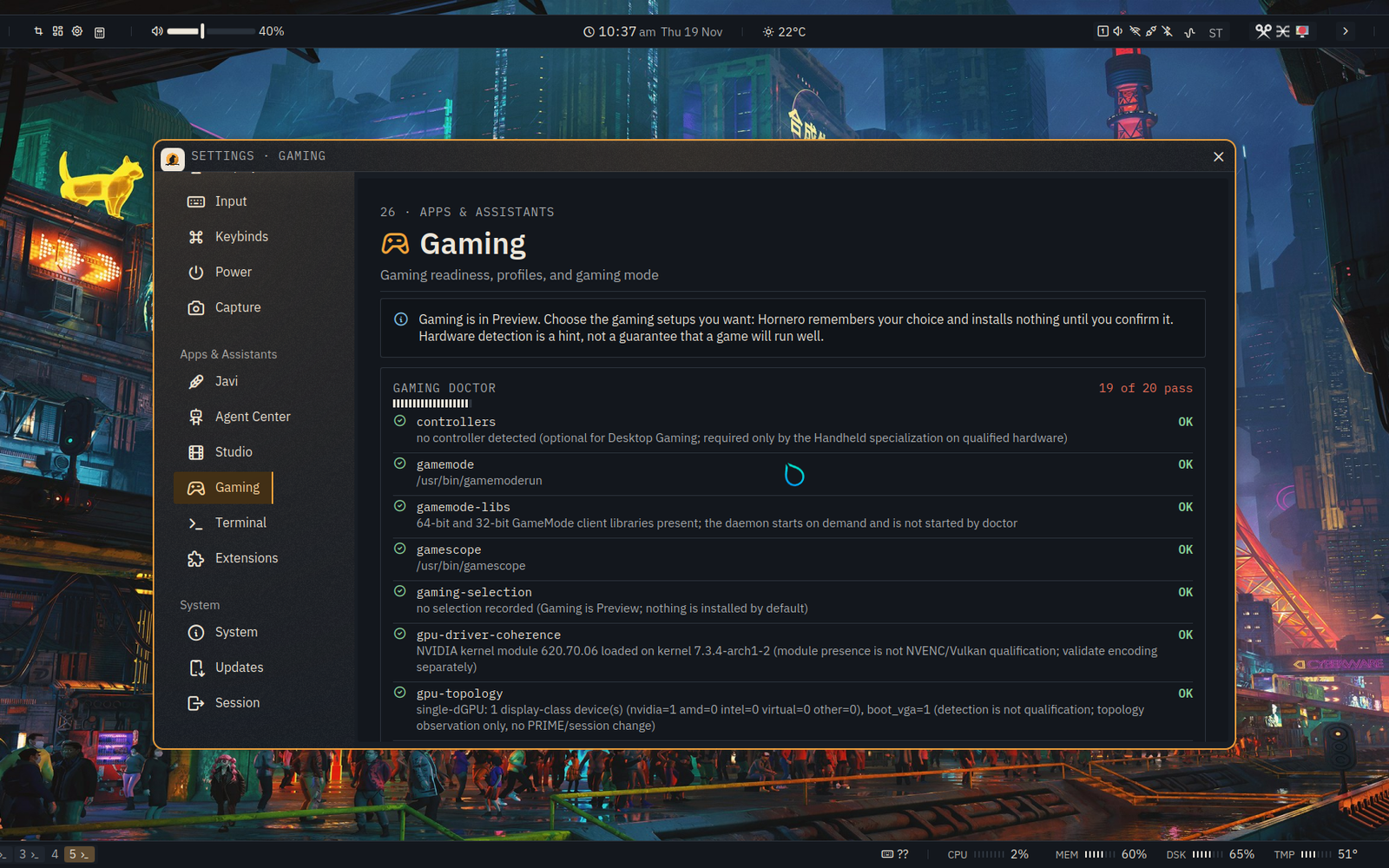
Gaming readiness, checked honestly in Settings → Gaming (Preview): detection is a hint, not a guarantee that a game will run. Running-desktop capture from the maintainer's machine, 19 November 2026.
horneroctl gaming doctorand fix anyFAIL(typical: 32-bit driver userspace,vm.max_map_count, NVIDIA modeset).- In Steam, enable a Proton build for the game.
horneroctl gaming launch-optionsand paste the result into the game's Launch Options (gamemoderun %command%by default).horneroctl mode set gaming, start the game in fullscreen.- Leave with
horneroctl mode set everyday.
No default tweaks touch the kernel, scheduler, governor or memory.
- Policy under fullscreen (held notifications, paused polling, hidden desktop layer, idle inhibit, guardrails), fullscreen bit test: Where: offscreen (node) unit tests, CI
- Only intentional surfaces take keyboard focus; Overlay layer only for the area picker; drawers stand down: Where: static contract tests, CI
- Doctor probes, optional-tool WARN, launch-options composition: Where: V unit tests, CI
gaming doctoron a real Arch host with Steam, GameMode and an NVIDIA GPU (read-only): Where: host, read-only- Live fullscreen behaviour and Hyprland tuning on a Lua-only Hyprland:
Where: QA VM scenarios
experience/gaming-fullscreen,gaming/hyprland-tuning-lua(result stated in the PR)
- Any specific game, including Cyberpunk 2077; Proton behaviour; anti-cheat (kernel-level anti-cheat is unsupported).
- Performance, frame pacing, latency, VRR, HDR, tearing behaviour.
- Gamescope on NVIDIA, the Gamescope handheld session, controller-only navigation, suspend/resume, battery/TDP on handhelds.
- MangoHud and Gamescope on the inspected host were not installed, so those launch compositions were never run.
- Wine/Lutris/Bottles/VR profiles (planned or reference-only).