Repository navigation
Releases
Llama Swatch v0.4.4

What's new in 0.4.4
Update checks work again
Llama Swatch moved to the Gilmore-Concepts organisation. The update check now looks in the new place. If the project's address changes again, it can follow the move, but only to GitHub's own API address over https.
The version is on the dashboard
The bottom of the dashboard now shows Llama Swatch v0.4.4, so you can see which version you're running without opening Settings. Settings still shows it too.
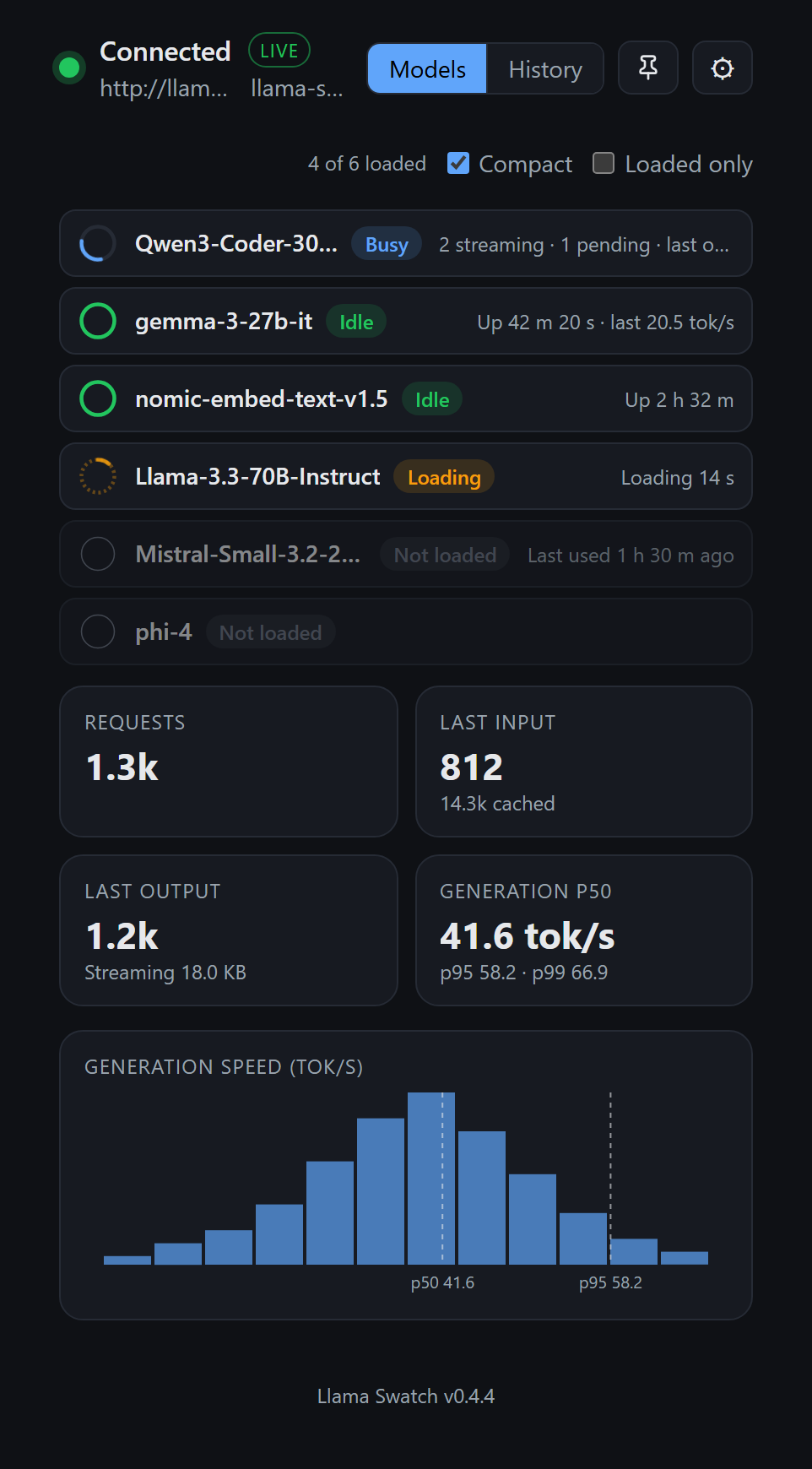
The README now explains where to find the version.
Under the hood
- A release build now stops before packaging if the version numbers in the project's files don't match.
- All screenshots in the README are new and in dark mode.
- Dependency updates:
rustls0.23.46 andvite8.3.3.
Upgrading
Copies older than 0.4.4 need one manual download. They can't follow the move, so they won't offer this release. Download it from this page and install over your current version; your settings carry over. From 0.4.4 on, the startup update check works as usual.
Unsigned build. See the README for first-launch steps on each OS. Checksums are in SHA256SUMS.txt.
Llama Swatch v0.4.3
What's new in 0.4.3
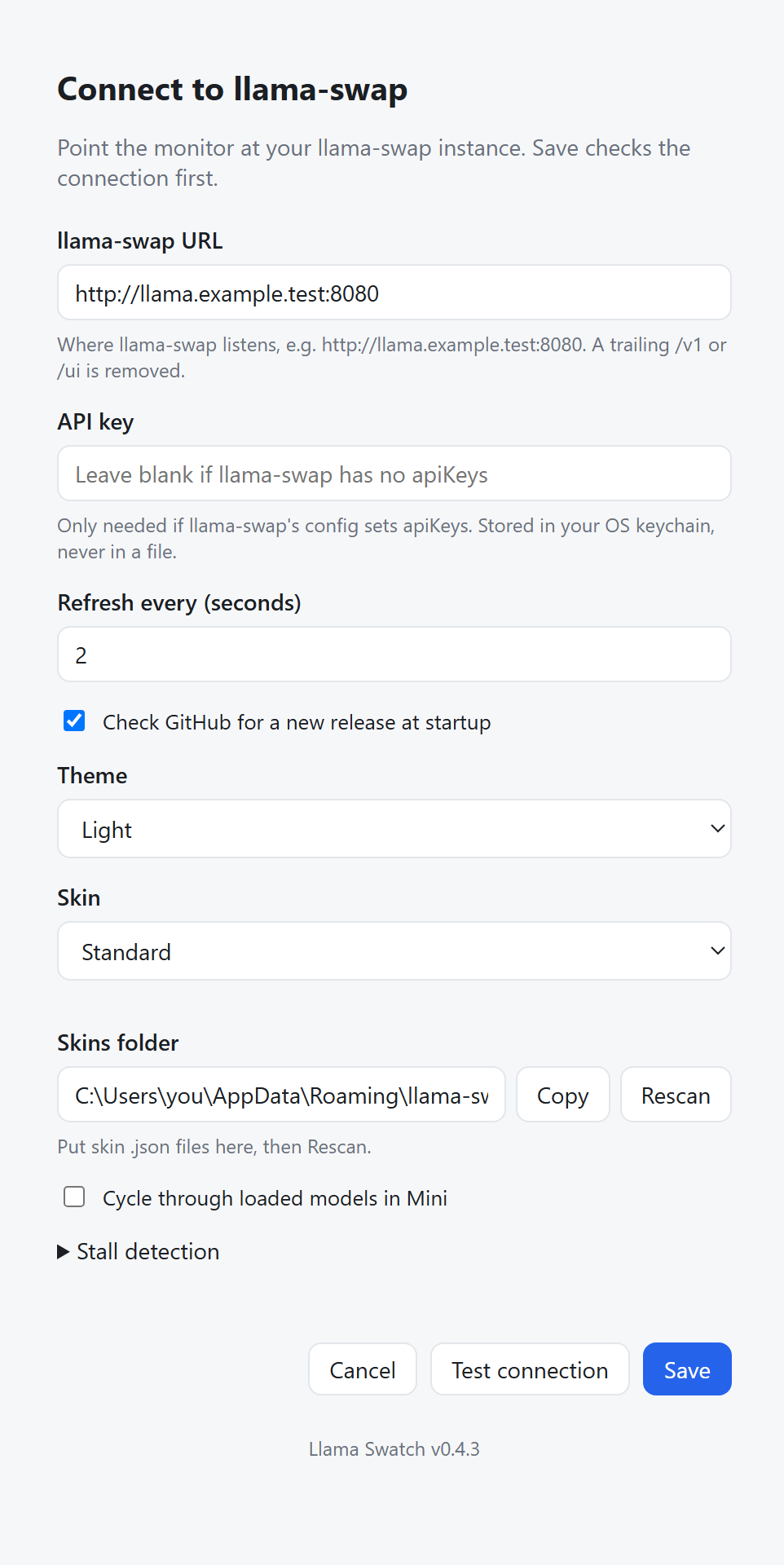
See which version you're running
The bottom of the Settings screen now shows Llama Swatch v0.4.3. After an update, open Settings to confirm the new version is the one running.
Pin in the Mini strip
The Mini strip has its own Keep on top pin, left of minimise. It shares the setting with the pin on the full dashboard, so either one turns it on or off. The strip is a little wider (340 px) so more of the model name fits next to the pin, and hovering over it explains how to use it: drag to move; double-click or right-click for Full dashboard and Settings.

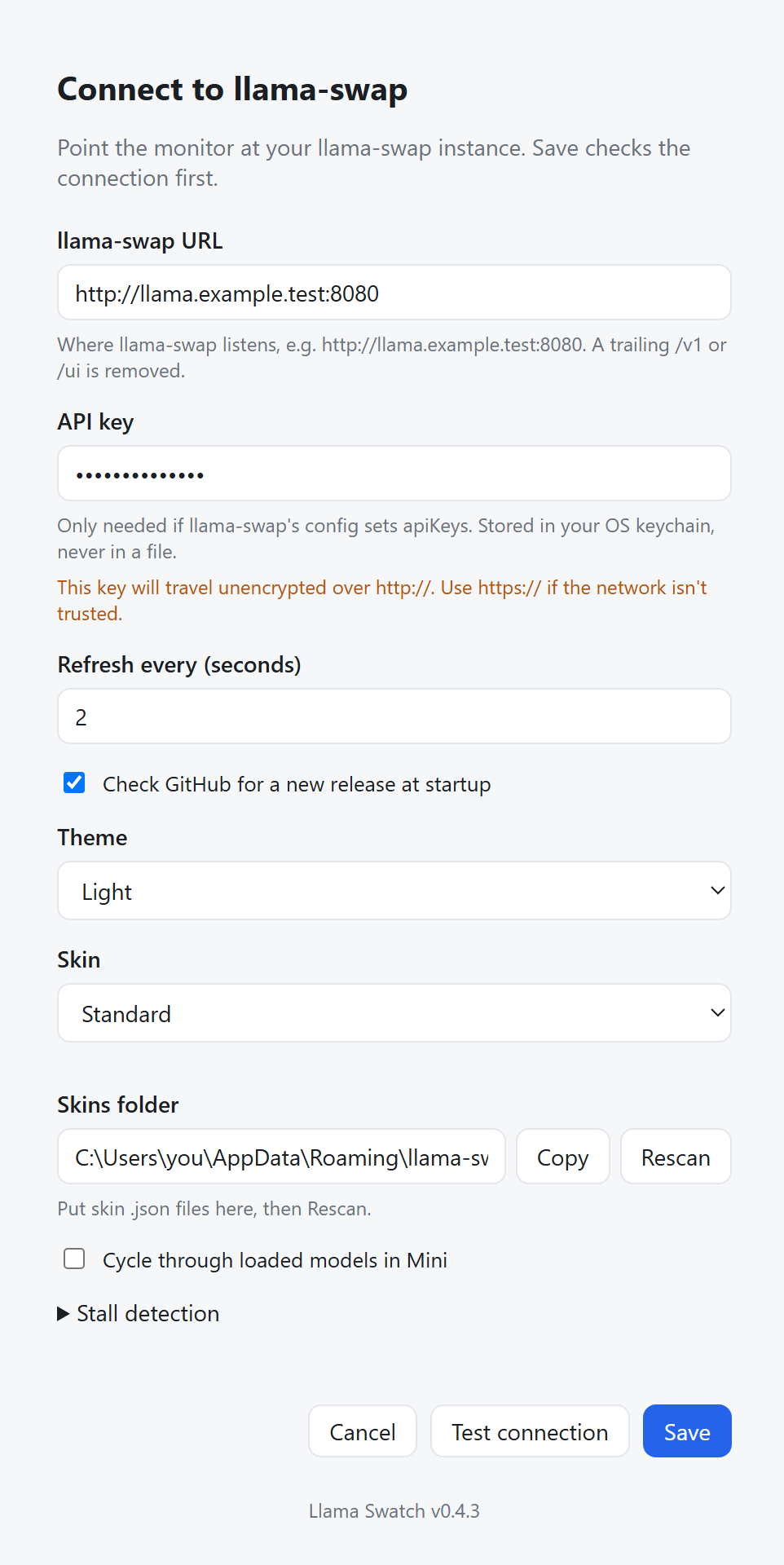
A warning before sending a key over plain http
If the server URL starts with http://, points at another machine, and you enter an API key, Settings warns that the key will travel unencrypted. Local addresses (localhost, 127.0.0.1, ::1) don't trigger it.
Sturdier with misbehaving servers
- Responses from llama-swap have size limits, so a broken or hostile server can't make the app use unbounded memory.
- Each time the live event stream has been silent for 2 minutes, the app reconnects in the background. The status doesn't change, since an idle server is normal. If that reconnect fails, the status shows the stream as disconnected and the app keeps retrying as usual.
- Settings are saved one at a time and written atomically, so two quick changes can't overwrite each other.
- Skin files are read once, capped at 16 KB each and 200 in total. Links in the skins folder are skipped and listed as skipped.
Under the hood
- GitHub Actions used to build releases are pinned to exact commits, and Dependabot keeps them up to date.
Upgrading
Install over 0.4.0; your settings carry over. If the startup update check is on, 0.4.0 will offer this release.
Unsigned build. See the README for first-launch steps on each OS. Checksums are in SHA256SUMS.txt.
Llama Swatch v0.4.0
What's new in 0.4.0
Skins
Skin in Settings picks the colours and layout: Standard (the default), High contrast, Muted, or Minimal. You can also make your own: drop a *.json skin file into the skins folder shown in Settings and press Rescan. Each skin has a light and a dark half and follows the Theme setting. Colours you leave out fall back to Standard. The README has the file format and an example.
Mini layout
The Minimal skin (or any skin with "layout": "mini") turns the window into a one-line strip showing the busiest loaded model, its status and a +N count of the other loaded models. Double-click or right-click the strip for Full dashboard or Settings. Leaving Mini restores the full window's size and position. Turn on "Cycle through loaded models in Mini" to rotate through every loaded model every 4 s.
Last request on the stat tiles
The Input and Output tiles now describe the newest finished request instead of totals since llama-swap started:
- Last prompt: the whole prompt in tokens, with the cached and new split below it.
- Last output: that request's output tokens. While a reply streams, the tile shows the bytes received so far.
The running totals move into each tile's tooltip. No extra requests are made to llama-swap.
Fixes
- History shows "—" instead of "-1" when llama-swap doesn't report a token count.
- The README and screenshots now cover the new layouts and skins.
Upgrading
Install over 0.3.0; your settings carry over. If the startup update check is on, 0.3.0 will offer this release.
Unsigned build. See the README for first-launch steps on each OS. Checksums are in SHA256SUMS.txt.
Llama Swatch v0.3.0
Unsigned build. See the README for first-launch steps on each OS.
What's new in 0.3.0
- Compact view: a toolbar toggle shrinks each model card to a single row, so many more models fit without scrolling. The choice is remembered.
- Reload the last model: when nothing is loaded, the toolbar offers a one-click Reload ‹model› button for the model you used most recently.
- Fix: if saving your answer to the update-check prompt fails, Settings now shows the answer you gave instead of the default, and saving Settings no longer silently turns update checks back on.
- CI: the build workflow's token now has only the permissions it needs.
Llama Swatch v0.2.0
Unsigned build. See the README for first-launch steps on each OS.
New
- Theme setting. Match system, Light or Dark, under the gear icon. On Linux, Match system follows the desktop's dark-style switch.
- New-release check. Once per launch, the app asks GitHub for the latest release. When a newer one exists, a badge in the header opens its release page. GitHub sees your IP address and the app version; nothing about your llama-swap is sent. It's on by default; untick Check GitHub for a new release at startup in settings to turn it off.
Upgrading from 0.1.0
0.1.0 had no update check, so you have to download this release by hand. After that, the app tells you about new releases itself. On first launch, a notice says that the check is now on, with Keep on and Turn off buttons.
Verify downloads against SHA256SUMS.txt.
Llama Swatch v0.1.0
Unsigned build. See the README for first-launch steps on each OS.