Repository navigation
Building and debugging EdgeTX (Windows 10 (MSYS2)) #1513
Description

Hello.
Tried several times to install according to the instructions:
https://github.com/EdgeTX/edgetx/wiki/Build-Instructions-under-Windows-10-%28MSYS2%29
The third time I installed it on a PC with a reinstalled operating system (64-bit Windows 10 version 21H1).
I did everything exactly in accordance with the instructions, the probability of error is minimal.
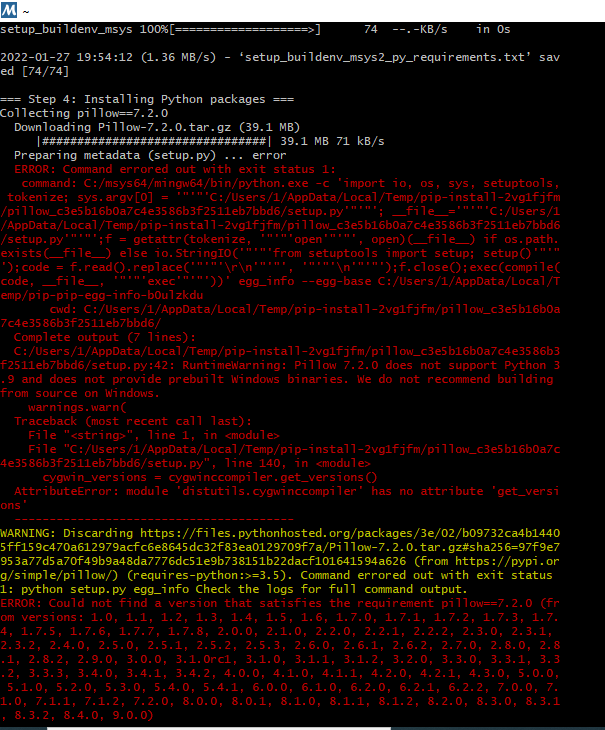
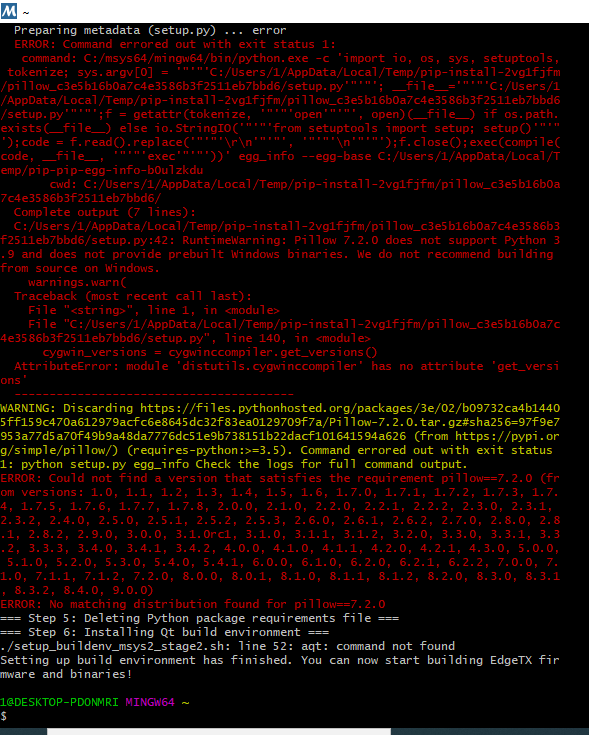
The error occurs at the stage - Second stage of MSYS2 configuration. I am attaching screenshots.
Can you please tell me how to fix these errors?
Activity
pfeerick commentedon Jan 28, 2022
The issue here is that MSYS2 only officially keeps the current versions of packages in their repository, and don't support installing older versions of packages. Pillow 7.2.0, a package used for generating images for part of the build process, only works with Python 3.5 - 3.8, and with a new install of MSYS2, you're running Python 3.9 (at time of writing).
As a short term workaround (very short, since it is depending on how long the files will still be on the msys2 repo), you could possibly install python 3.8 manually - i.e. download and install the package and then running that stage2 script again.
Alternately, you could instead alter the
setup_buildenv_msys2_py_requirements.txtfile after it's downloaded at step 3 (you'll need to run install script with the--pauseparameter so it stops after running each step)... and change the pillow version to something like 8.3.2... keeping in mind it may result in variances in the graphics produced for the UI since it's not the version we use and test with. However, if you just want to build and test something, it will probably be fine.Unfortunately, the step that failed also installs
aqtinstall, hence the "aqt: command not found" error.Ktr128 commentedon Jan 28, 2022
Thanks for the information.
I will try to install with your recommendations.
While temporarily made on ubuntu, everything worked out))
https://www.rcgroups.com/forums/showpost.php?p=48596381&postcount=4274
Dist0rtion commentedon Feb 16, 2022
I am currently compiling the firmware with Ubuntu without problems, but since i use mostly Window is it possible to update the build instructions under Windows 10 (MSYS2) to run with Python 3.9 - 3.11?
Also having the latest Companion version (nightly) running on Windwos is quite handy
Many Thanks
rotorman commentedon Feb 16, 2022
@Dist0rtion EdgeTX needs presently specific versions of pillow and clang (see here) and these do not match with newer Python versions unfortunately.
Dist0rtion commentedon Feb 16, 2022
I know... unfortunately
Or could maybe someone provide the old, already downloaded/installed version of MSYS2 with the old Python version and dependencies? Just put the folder (C:\MSYS2) into a ZIP/RAR archive... or something like that.
So that you only have to execute the last step/script
rotorman commentedon Feb 16, 2022
Are you aware of web-browser based building of EdgeTX radio firmware - possibly you can use this as an alternative - it has all the correct versions: https://github.com/EdgeTX/edgetx/wiki/Building-radio-firmware-in-a-webbrowser-with-Gitpod
Dist0rtion commentedon Feb 16, 2022
Yes, this is of course a practical and easy alternative, but it does not compile the Companion/Simulator (for Win).
Or does that work with it as well?
Not that I insist on compiling the companion app, but it would be handy :)
rotorman commentedon Feb 16, 2022
True, you cannot unfortunately (yet) build Windows binaries with EdgeTX Gitpod.