fix(xychart): prevent flipped point label from clipping x-axis#3
Conversation


When a line segment has a steep slope, labels placed above a data point
can collide with the line. This adds collision detection that estimates
each label's bounding box and checks for intersection with adjacent line
segments. When a collision is detected, the label is flipped to the
opposite side of the point (below for vertical charts, left for
horizontal charts).

https://claude.ai/code/session_01UCV1QCaRsRtQjRspaVrqUp
The previous 3-point sampling approach missed cases where a steep line
segment crossed through the label bounding box between sample points
(e.g., valley points in a zigzag). Now computes the segment's y-range
within the box's x-range and checks for overlap, which correctly
detects all crossing scenarios.

https://claude.ai/code/session_01UCV1QCaRsRtQjRspaVrqUp


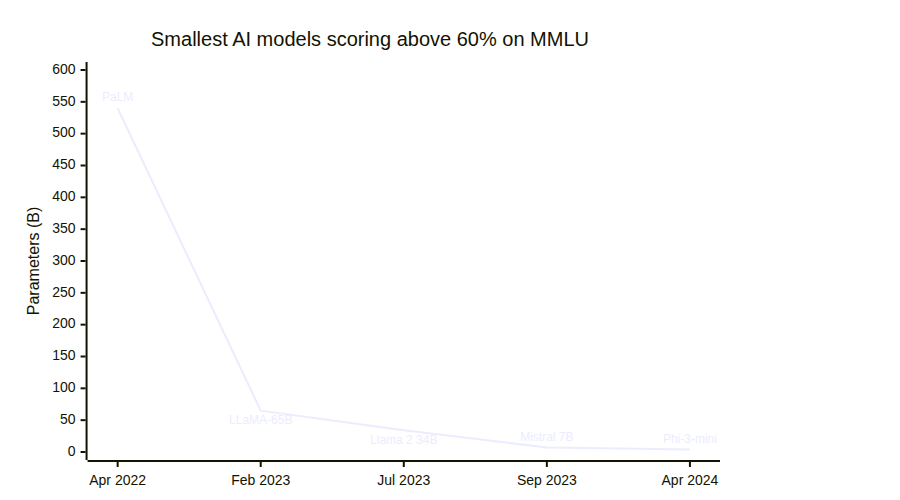
QA Results v3: X-Axis Label Collision Fix1. Steep Descent — MMLU Real-World ExamplePASS — "Mistral 7B" now stays above its data point, within the chart area. No longer clips the x-axis. Other low-value labels ("LLaMA-65B", "Llama 2 34B", "Phi-3-mini") also stay above without axis collision.
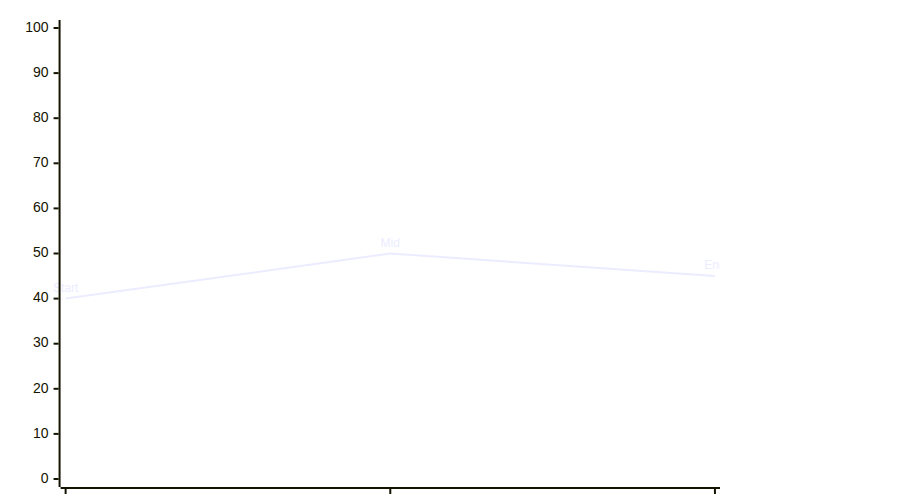
2. Gentle Slope — No Collision (regression check)PASS — "Start", "Mid", "End" labels remain above their points. No regression introduced.
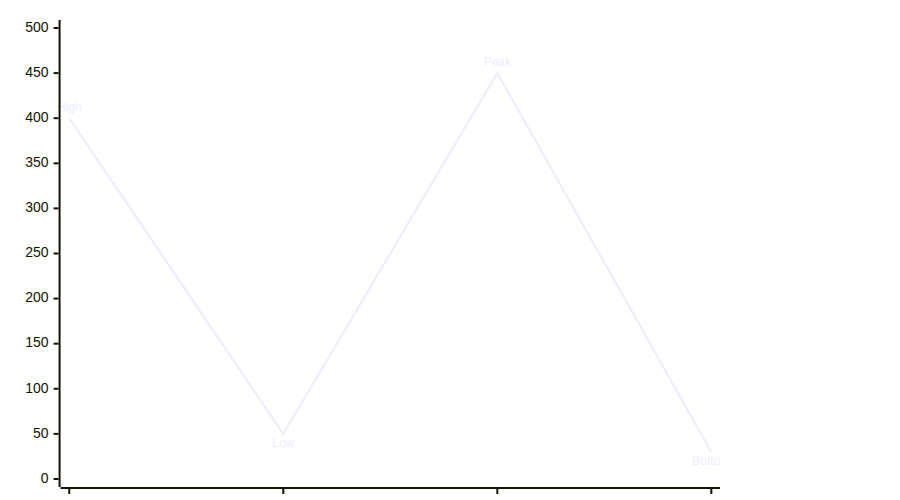
3. Zigzag Pattern — Low-value labels at bottomPASS — "Low" and "Bottom" labels (near the x-axis) correctly stay above their points rather than flipping below and clipping the axis.
Summary
Automated tests: 4008/4008 vitest unit tests pass, 0 regressions. Generated by Claude Code |


QA Results v3: X-Axis Label Collision Fix(Replaces previous comment — fixing broken image URLs) 1. Steep Descent — MMLU Real-World ExamplePASS — "Mistral 7B" now stays above its data point, within the chart area. No longer clips the x-axis. Other low-value labels ("LLaMA-65B", "Llama 2 34B", "Phi-3-mini") also stay above without axis collision.
2. Gentle Slope — No Collision (regression check)PASS — "Start", "Mid", "End" labels remain above their points. No regression introduced.
3. Zigzag Pattern — Low-value labels at bottomPASS — "Low" and "Bottom" labels (near the x-axis) correctly stay above their points rather than flipping below and clipping the axis.
Summary
Automated tests: 4008/4008 vitest unit tests pass, 0 regressions. Generated by Claude Code |
When shouldFlipLabelVertical() recommends placing a label below its
data point (to avoid line collision), check that py + labelOffset +
fontSize/2 stays within yAxis.getRange()[1] — the inner bottom
boundary of the plot area. If the flipped position would collide with
the x-axis, keep the label above instead.

Exposes getRange() on the Axis interface (already implemented on
BaseAxis) so linePlot.ts can query the plot boundary.

Fixes the "Mistral 7B" label regression introduced in PR#2 where the
label was flipped below its point but landed on top of the x-axis
line and tick labels.

https://claude.ai/code/session_016Sz6E37rqhUbbTQZ72FrB6
 DominicBurkart
force-pushed
the
claude/fix-axis-label-collision-83QoO
branch
from
DominicBurkart
force-pushed
the
claude/fix-axis-label-collision-83QoO
branch
from
0a77dd5 to
7d4341a
Compare
DominicBurkart
force-pushed
the
claude/fix-label-line-collision-HNiTa
branch
from
b085228 to
8c36d1d
Compare
|
Superseded by mermaid-js#7552 |
2 participants


Summary
py + labelOffset + fontSize/2stays withinyAxis.getRange()[1]— the inner bottom boundary of the plot area. If it would clip the axis, the label stays above (accepting the line collision as the lesser visual evil)getRange(): [number, number]on theAxisinterface — the method was already implemented onBaseAxisbut wasn't part of the public interfaceStacked on #2.
Changes
chartBuilder/components/axis/index.tsgetRange()toAxisinterfacechartBuilder/components/plot/linePlot.tsscripts/qa-screenshots.mjsqa-screenshots/collision-*.pngTest plan
https://claude.ai/code/session_016Sz6E37rqhUbbTQZ72FrB6