Repository navigation
ToU Scheduler Card (100% AI made). You are welcome! #1243

Replies: 14 comments 3 replies

|
Thanks for this card! I was looking for some way to easily check my ToU settings at a glance. Perfect! |

|
No probs, I was scouring the net aswell..! |
|
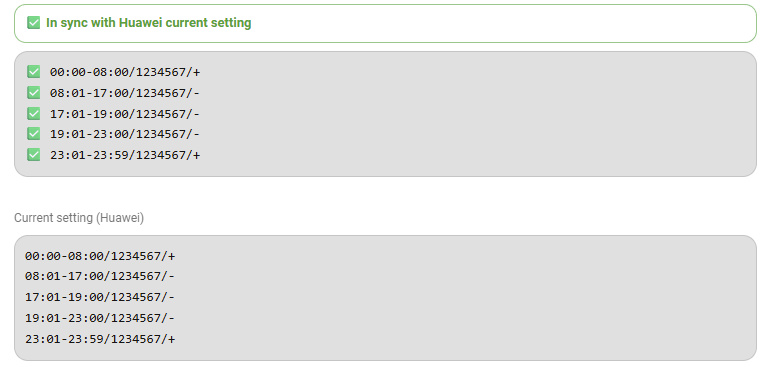
I've run into a limitation I hope you can help me with. I need to use 5 ToU periods, but I can only seem to use 4. This is my current schedule: The cheap rate for battery charging starts at 23:00 and ends at 08:00. I can't add that time as it appears to overlap itself. However, if I change the last row to 19:00 to 23:00 and then add a fifth row from 23:00 to 23:59, it disappears. Any ideas? Thanks! |


Hey mate, 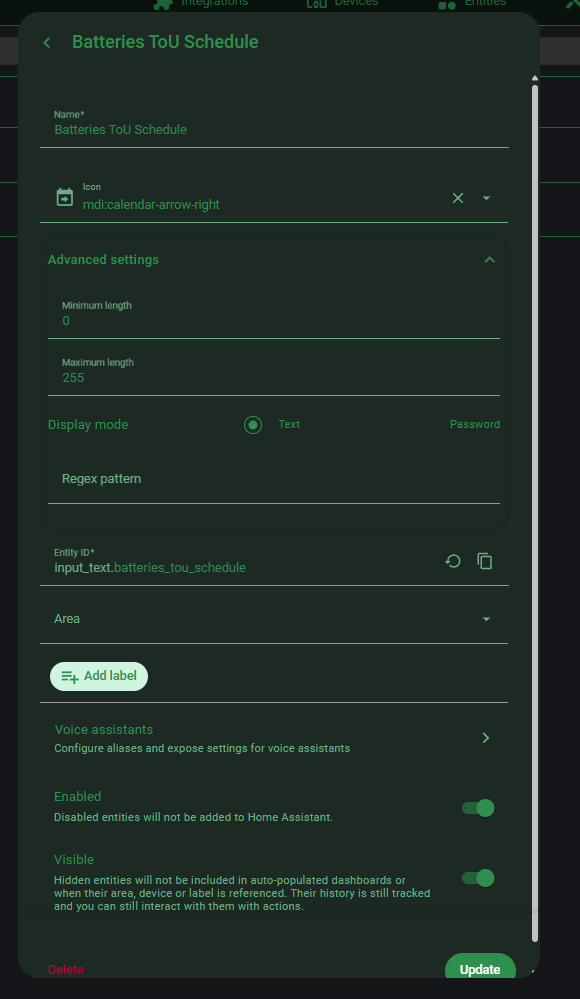
|

|
Well, if I had checked the logs the problem would have been obvious! Thanks for your help. |
Hope you can try the v2 i added to the main post. |
|
Yes, that new version has worked fine. Strangely, the previous schedule with the overlapping minutes seemed to be working OK as the batteries were charged at the scheduled time. |

|
works great ! in /homeassistant/configuration.yaml input_text: 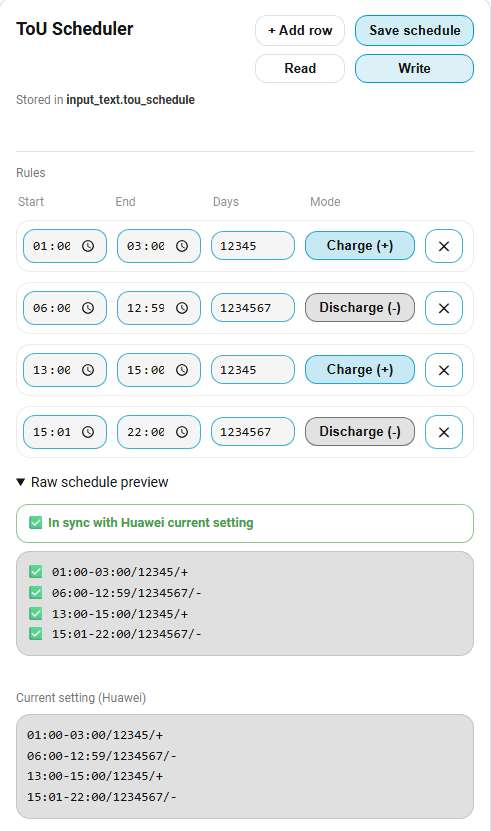
|
|
How do I change the time on my inverter? |
|
Added read time from inverter Reading (and synchronizing) the inverter time service.py from: 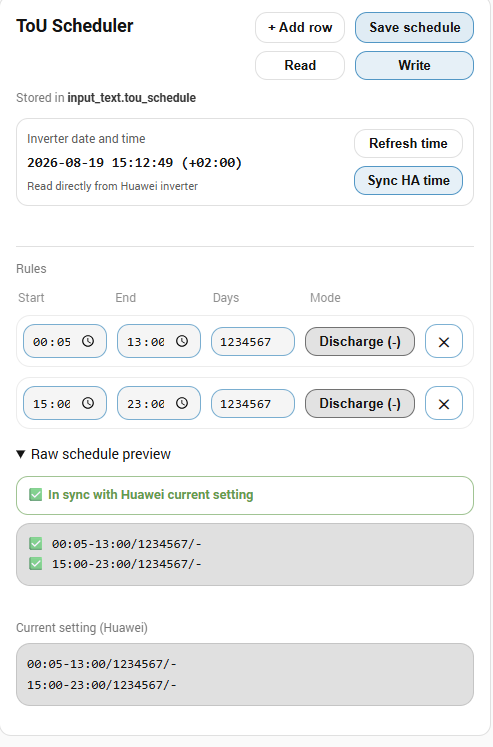
|
|
Add ToU Card to new version of huawei_solar |
|
I've updated the card to v3 and I can see the new Inverter date and time section, but it just says "Not read yet". I don't see an action to synchronise the clock. I'm running Huawei Solar 2.1.5. |
|
To get v3 working (with time sync), you need to edit 4 files: Here is my services.py: I have version 2.1.1 of huawei_solar installed; installing a newer version overwrites the files and removes the time synchronization. I am testing (with ChatGPT) the migration from 2.1.1 to 2.1.5 while preserving ToU v3 and time synchronization. Despite having the Pro version, I’ve run out of tokens and am waiting for them to renew. P.S. 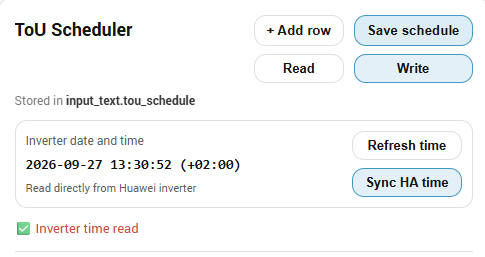
|
|
OK, sorry for jumping the gun on this. I had the impression that it was already merged. I'll wait for your update. |
|
I am attaching version huawei_solar_2.1.5_english_public.zip works with Core 2026.9.4 English languae (I also have it in Polish) in zip is readme.md Features
How I did it: I connected to Home Assistant using WinSCP: copy in shell Advanced SSH & Web Terminal in winscp in shell Advanced SSH & Web Terminal in ha (www) /config/lovelace/resources i've got =10 After modifying the file, you need to increment the number by 1; for me, it's version 10. |
|
Package backing up 'tou' and 'sync' during an update (e.g., 2.1.6) I'll test it after the 2.1.6 release. from readme "An independent maintenance tool for preserving local changes to the Huawei Solar Guard saves immutable snapshots, compares three versions (upstream baseline, Guard does not block updates in HACS. Disable automatic updates for this integration. The English edition passes 31 fixture-based tests covering merging, conflicts, Advanced usage: Huawei_Solar_Guard_v2_README_EN.md |
|
Huawei Solar clock fix: DST synchronization after CEST/CET changes The dst-r3 patch fixes Sync HA time in the custom Huawei Solar 2.1.5.post1 and 2.1.5.post2 editions that include the ToU Scheduler services. This is a community patch for those custom editions. It is not a general patch for every upstream Huawei Solar version. What caused the error?The previous validator treated the inverter's Daylight saving time enable switch as a permanent extra hour. On devices configured with seasonal DST rules, the switch can remain enabled throughout the year. After Home Assistant switched from CEST (UTC+2) to CET (UTC+1), synchronization could fail with:
The corrected validator uses the current seasonal adjustment from Home Assistant's configured time zone when checking the inverter's base zone. With DST disabled, the configured zone must match HA's current offset. The patch preserves clock readback verification and checks for invalid zones, login errors and uncertain writes. It does not change the inverter's DST switch, transition dates, time zone, ToU schedule or clock source. No ToU card JavaScript update is required. Before installing
|


Uh oh!
There was an error while loading. Please reload this page.
Uh oh!
There was an error while loading. Please reload this page.
I had a need, I had no javascript knowledge .... i had AI
and we made this beauty through alot of iterrations :)
Since I believe sharing is caring your welcome to use and modify as you wish.
Other than browsing GIT I don't know how to use it properly as a programmer so the javascript module
is here. Add it to your www folder and path it upp as a dashboard resource.
tou-schedule-card.js
Edit:
Made a couple of changes/Improvements to the UI in regards to the pop-ups aswell as row validation.
tou-schedule-card v2.js
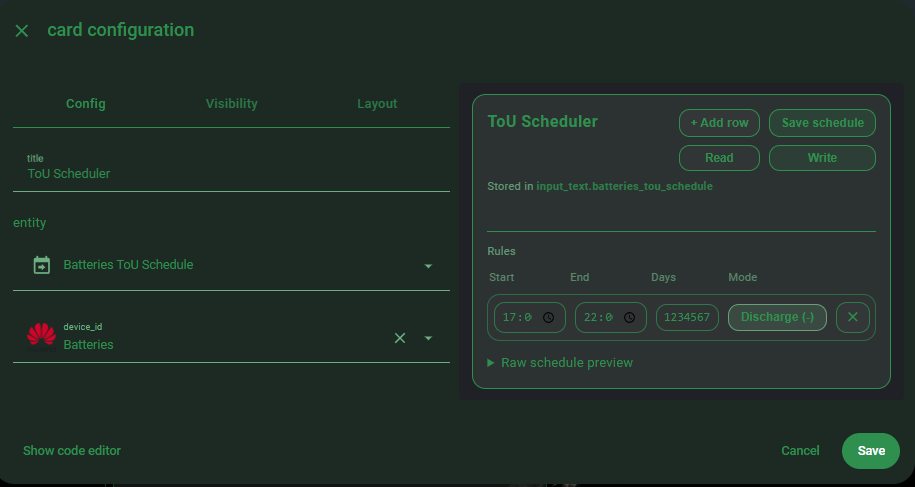
You will need an input_text to hold your ToU schedule in Home Assistant
And you will need to provide your "Batteries" entity.
The card itself will look for an appropriate sensor containing ToU periods and if found you will be able
to act upon it with read/write from HA(to/from your input_text)
Before you can write to the inverter you need to save the schedule to your input_text.
Reading from inverter will update your input_text
Add Card
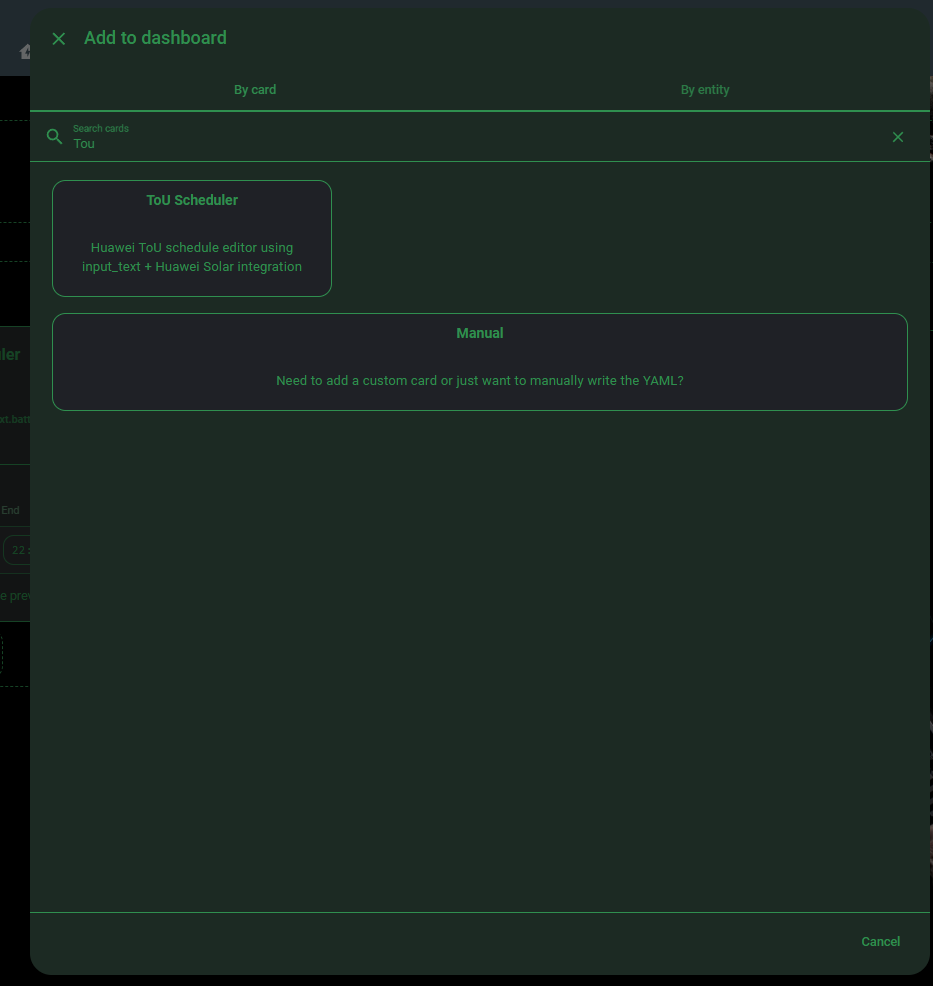
Card setup
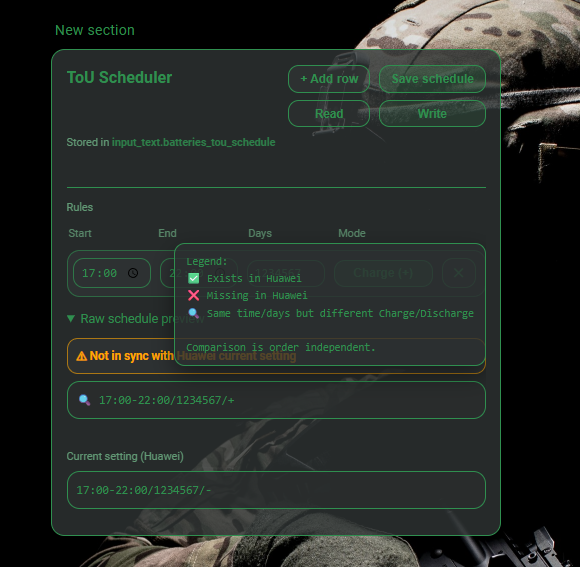
Screenshot featuring the card itself with applicable warnings where errors are found
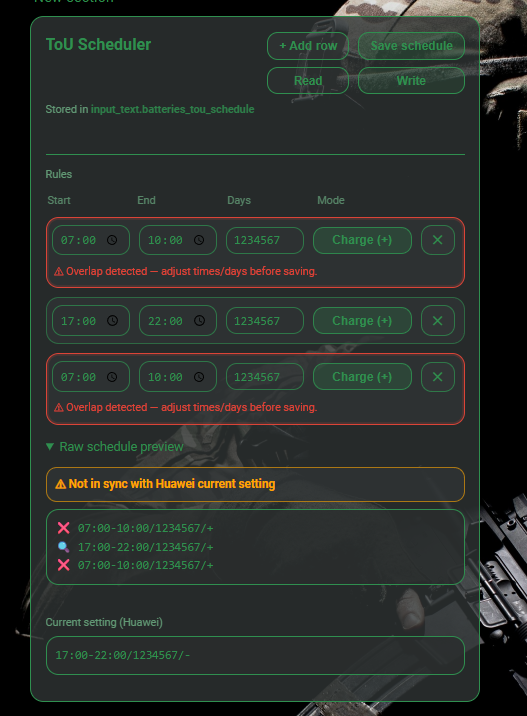
Tooltip explaining icons
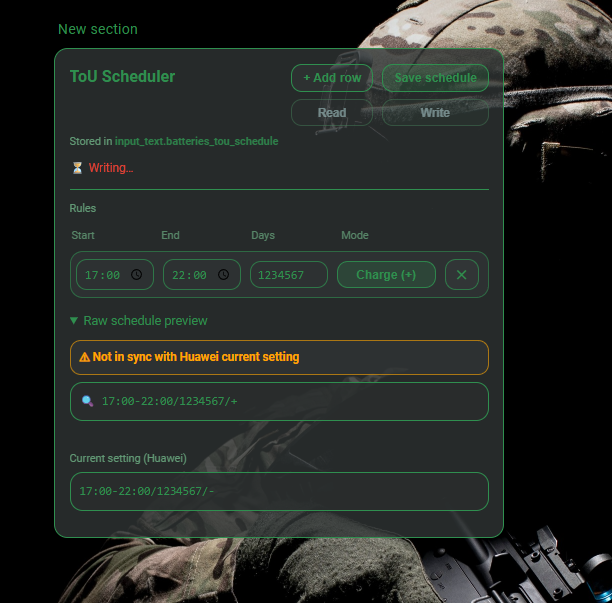
Anti spam block on write
Enjoy!
All reactions