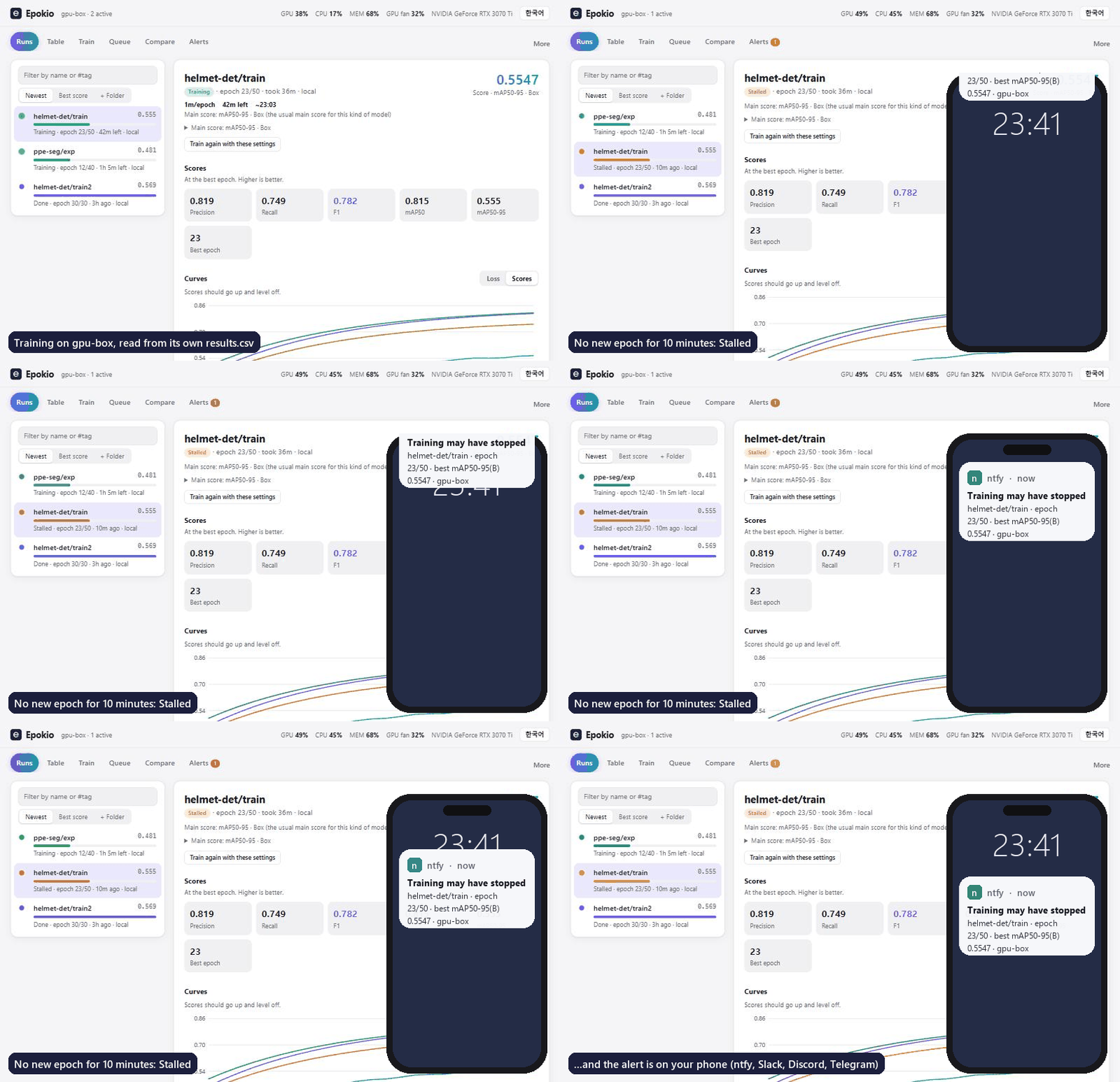
Epokio reads the training logs you already have and alerts your phone when a run stalls, hits NaN, or finishes. No code changes, no account: it reads what YOLO, Hugging Face, Lightning, Keras and TensorBoard already write. Works over SSH.
Python 3.10 or later, on Windows, macOS or Linux. In a terminal in your project folder, on the machine that trains:
pip install epokio
epokio setup
epokio watch --once
epokio setup finds your runs, starts the helper (a small background program that reads the logs and sends the alerts) and opens its page. epokio watch --once prints the same list in the terminal.
Setup looks in this folder and in Desktop, Documents, Downloads, Projects and ~/runs, inside your user folder. Runs somewhere else, like D:\ or /data? Name the folder: epokio setup --root D:\myproject\runs.
On Windows, if pip or epokio is not recognized, put py -m in front: py -m epokio setup.
If pip stops with externally-managed-environment (Ubuntu 24.04, Homebrew Python), use a virtual environment or a conda env (how).
No sudo needed. In your own account on the server (a conda env works too):
python3 -m venv ~/.epokio-venv && ~/.epokio-venv/bin/pip install epokio
~/.epokio-venv/bin/epokio setup --root /data/you/runs --autostart
--autostart writes a systemd user service, so the helper survives SSH logout and reboots. To keep it running after you log out,
setup turns on linger (loginctl enable-linger $USER); if the server refuses, an admin runs sudo loginctl enable-linger <you> once.
epokio doctor says in one line whether the helper runs now and comes back. Setup prints an SSH tunnel such as
ssh -N -L 18787:127.0.0.1:8787 <server> for your own computer, then http://127.0.0.1:18787/ shows the server's runs; epokio watch works in plain SSH.
Other accounts on the server can read a helper on 127.0.0.1, so on a shared machine see limits.
- Install the ntfy app on your phone and subscribe to a topic only you know (letters, digits,
-and_). - Save it on the training machine, with your topic in place of
your-secret-topic:epokio alerts --add https://ntfy.sh/your-secret-topic - Check it:
epokio alerts --test
From then on, the helper sends an alert when a run finishes, fails (NaN loss or a crash) or stalls (no new epoch for well past its usual pace, 3 minutes at least). Slack, Discord and Telegram webhooks work the same way (https only).
Alerts go out only while the helper runs. epokio setup --autostart keeps it running after logout and reboot without sudo (a systemd user service on Linux, a LaunchAgent on macOS, the Startup folder on Windows).
epokio doctor shows whether it runs now and starts again; epokio doctor --test-alert sends a real test alert.
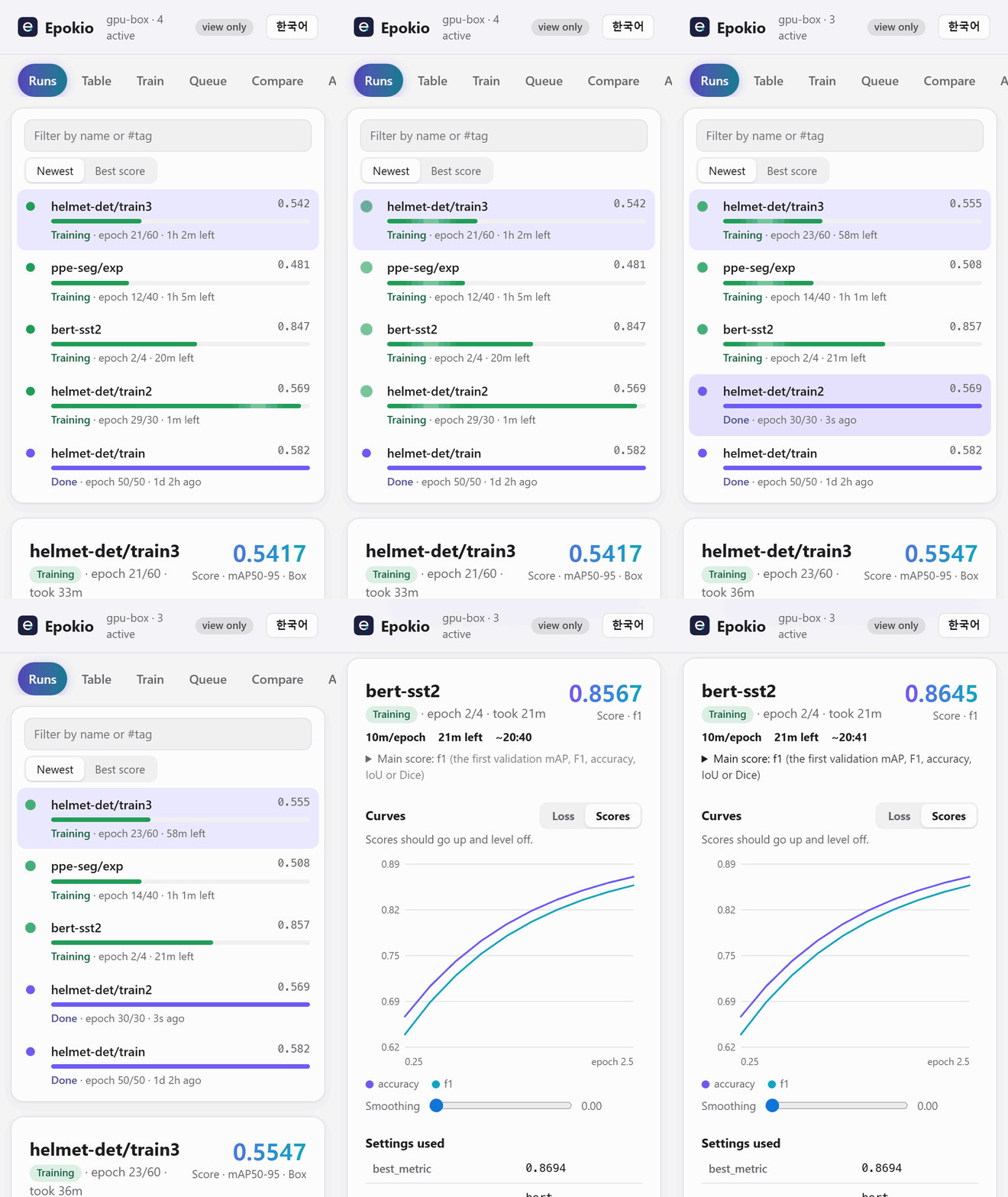
- One live list of every run: progress, time left and best score, whatever framework wrote the log.
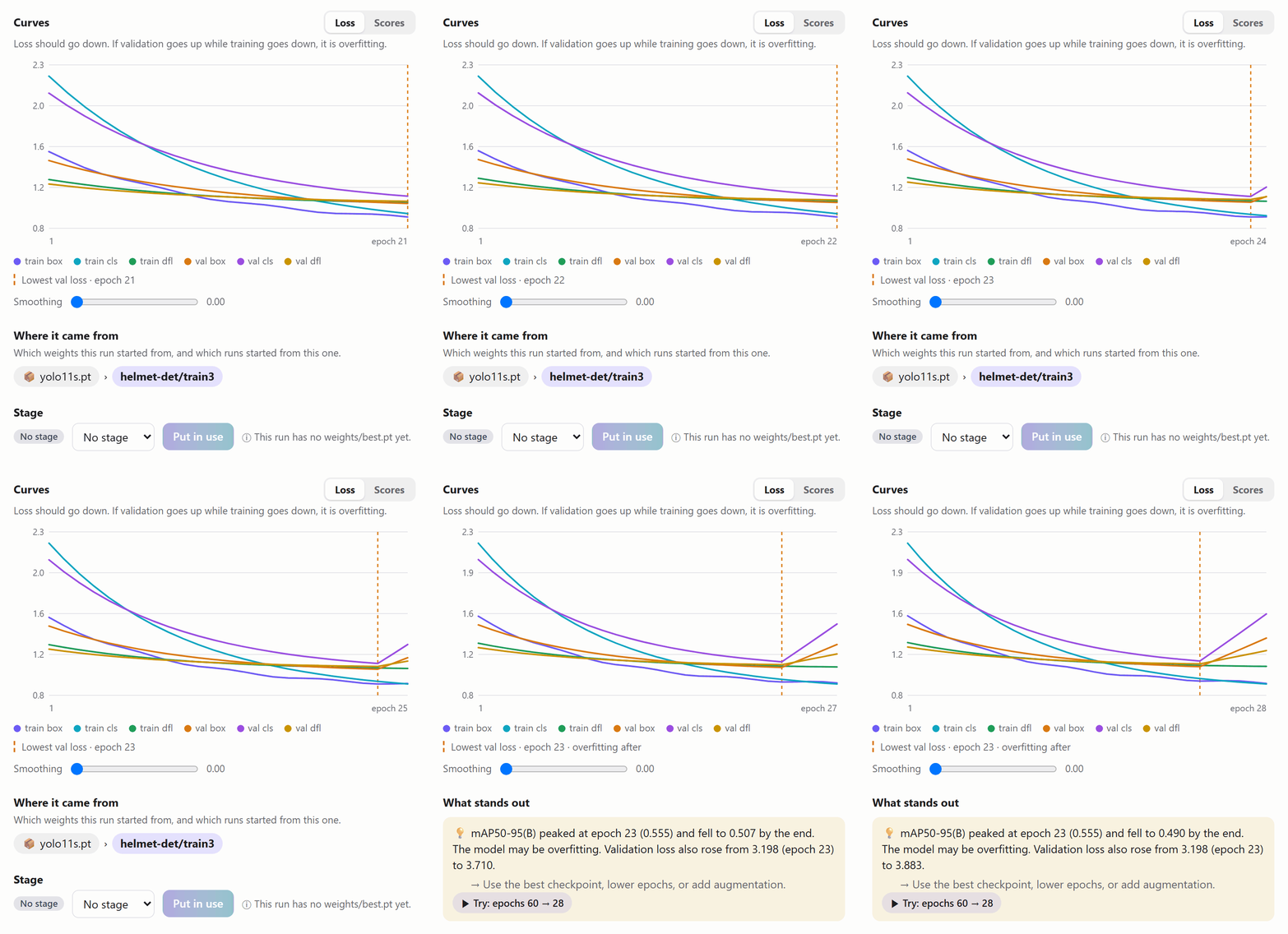
- Curves with a plain-language note. It marks the epoch with the lowest validation loss and says when the score starts to fall.
- On your phone too.
epokio setup --lanprints the address and a view-only token, which shows everything and hides every button that changes something. - Also in a terminal (
epokio watch, good over SSH), a tray icon on Windows and Linux, and a macOS menu bar app. - No account, no upload. Only the alerts you add leave the machine.
Where no helper can run, the training process sends the alert itself:
!pip install epokio
!epokio alerts --add https://ntfy.sh/your-secret-topic

import epokio
with epokio.start("runs/colab-exp", epochs=20, notify=True) as run:
    for epoch in range(20):
        ...
        run.log(train_loss=tl, val_loss=vl, acc=acc)
You get an alert when the block ends, or when it raises (with the error). A network failure never stops training.
- The helper listens on
127.0.0.1only.setup --lanopens it to your network and then asks for a token. - Starting training, queue jobs and sweeps from the page (and from MCP) is off.
epokio config launch_runs onturns it on and shows the Train, Queue and Sweeps tabs. - New tokens are view-only;
epokio agent --add-token NAME --scope runmakes one that can change things. - A
--lanhelper runs nothing sent over the network unless it was started with--allow-run. - On a shared server, other accounts can read a helper on
127.0.0.1. Over SSH on Linux,epokio setupasks to make viewing need a token too (reads_token always, on by default without a terminal,--no-lock-readsskips it; the page then asks forepokio agent --show-tokenonce). Elsewhere runepokio config reads_token always. Then give each person a token limited to their folders (how). - The helper speaks plain HTTP. Prefer an SSH tunnel or Tailscale over
--lan. Details: docs/remote.md.
Checked against each project's README and docs in October 2026. Epokio can read TensorBoard event files and W&B's local files, so it can sit next to them.
| Code changes | Account | Alerts | Pick it instead when | |
|---|---|---|---|---|
| Epokio | None if your framework writes a supported file (Keras: a CSVLogger or TensorBoard callback) |
No | Stall, NaN or crash, finish | |
| TensorBoard | Your code or framework writes event files | No | None | You want per-step charts, images, histograms or the profiler |
| W&B | wandb.init/log or a framework integration |
Yes | Run finished or crashed (Slack, email); run.alert() from your code |
A team shares dashboards, sweeps, artifacts and a model registry |
| Trackio (Hugging Face) | trackio.init/log (W&B-style API) or HF Trainer report_to="trackio" |
No (optional HF Space) | trackio.alert() from your code, to webhooks |
You want a free local W&B-style dashboard you can share on a Space |
| knockknock | A decorator around your training function | No (needs the chat service's credentials) | Start, finish, crash on 12 services (last release 2020) | You only need a finish or crash ping on email, Teams, SMS and the like |
| runmon | None: wraps the command or attaches to tmux | No (pairs its phone app; relay can be self-hosted) | Done, failed, error output, GPU idle, log silence, disk full | You want GPU-per-process views, or alerts for any command, not just training logs |
More columns (MLflow, Aim, Ultralytics Platform, price): docs/guide.md.
Ultralytics YOLO, Hugging Face Trainer, PyTorch Lightning (CSVLogger), Keras (CSVLogger or the TensorBoard callback),
TensorBoard event files and W&B local files (neither needs to be installed), timm, OpenMMLab, MAE/DeiT-style log.txt,
and your own loop: epokio.start, or a CSV whose first column is epoch, step, iter or iteration.
Which file each one reads, planned epochs and best-score rules: docs/guide.md.
Guide (alerts, limits, full comparison, privacy, troubleshooting) · Mac app · Remote helpers, Windows app, tray, phone · AI assistants (MCP) · Uninstall · Changelog · Contributing
Something wrong? Run epokio doctor and paste the output into an issue (it never prints your token). License: MIT.